Best tools for beginners

Best tools for beginners: Starting an online business can feel overwhelming at first. There are so many tools out there that it’s easy to get confused about where to begin. The good news is, you don’t need dozens of tools to get started. You just need a few simple, beginner-friendly platforms that help you build, create, and grow.
In this guide, I’ll walk you through some of the best tools for beginners that are easy to use, affordable, and powerful enough to help you launch your online business.
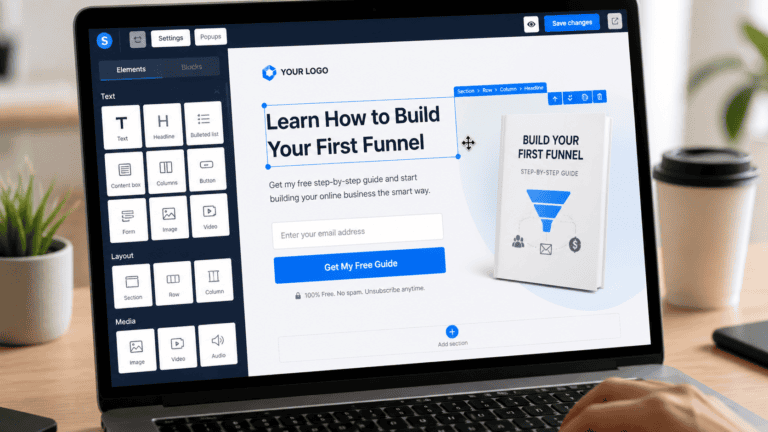
If you want to keep things simple, this is one of the best tools to start with.
It allows you to:
- Build landing pages
- Create sales funnels
- Send email campaigns
- Manage online courses
Instead of using multiple tools, you can do everything in one place. This is perfect for beginners who don’t want technical complexity.
Best for: Affiliate marketing, selling digital products, building funnels
1. System I O Best Free Funnel Tool for Beginners
Allow you to:
Build landing pages
Offer free resources
Capture leads
Start building an online income system
Here’s the flow:
Content → Link → Landing page → Email
This is how beginners move from
“just posting” → to building an online income system
2. InVideo – Easy Video Creation
Content is key in online business, and video content performs better than almost anything else.
With this tool, you can:
- Create professional videos in minutes
- Use ready-made templates
- Add text, music, and animations easily
You don’t need any editing experience. It’s designed specifically for beginners.
Best for: YouTube videos, social media content, ads
3. ElevenLabs – AI Voice Generation
If you want to create content without showing your face or recording your voice, this tool is a game changer.
It helps you:
- Generate realistic AI voiceovers
- Create faceless videos
- Save time on recording
This is especially useful if you’re building a faceless content brand.
Best for: YouTube automation, faceless content, narration
4. Canva – Simple Graphic Design
Every online business needs visuals, whether it’s social media posts, thumbnails, or product images.
With Canva, you can:
- Design posts, banners, and thumbnails
- Use drag-and-drop templates
- Create professional designs without any skills
Best for: Beginners who need quick and clean designs
5. Google Docs – Writing & Planning
Before you build anything, you need to plan your ideas and content.
Google Docs helps you:
- Write blog posts
- Plan content strategies
- Organize your ideas
It’s simple, free, and essential for any beginner.
Best for: Writing, planning, content organization
How to Use These Tools Together
Here’s a simple way to combine these tools:
- Plan your content using Google Docs
- Create visuals using Canva
- Make videos using InVideo
- Add voiceovers with ElevenLabs
- Build your funnel using systeme.io
This creates a complete system for your online business.
Final Thoughts
You don’t need expensive or complicated tools to get started. The key is to start simple and focus on action.
These beginner-friendly tools will help you:
- Save time
- Avoid confusion
- Build faster
Once you get comfortable, you can always upgrade and add more advanced tools later.
What’s Next?
Explore our recommended tools to get started
Check out our digital products to speed up your journey
Start small, stay consistent, and your online business will grow over time
If you want, I can also:
Add internal linking strategy (Tools page + Products page)
Convert this into a high-converting SEO blog with keywords
Or design featured image for this post
Just tell me