Why AI Gets Your Product Wrong (and How to Fix Your Photo)
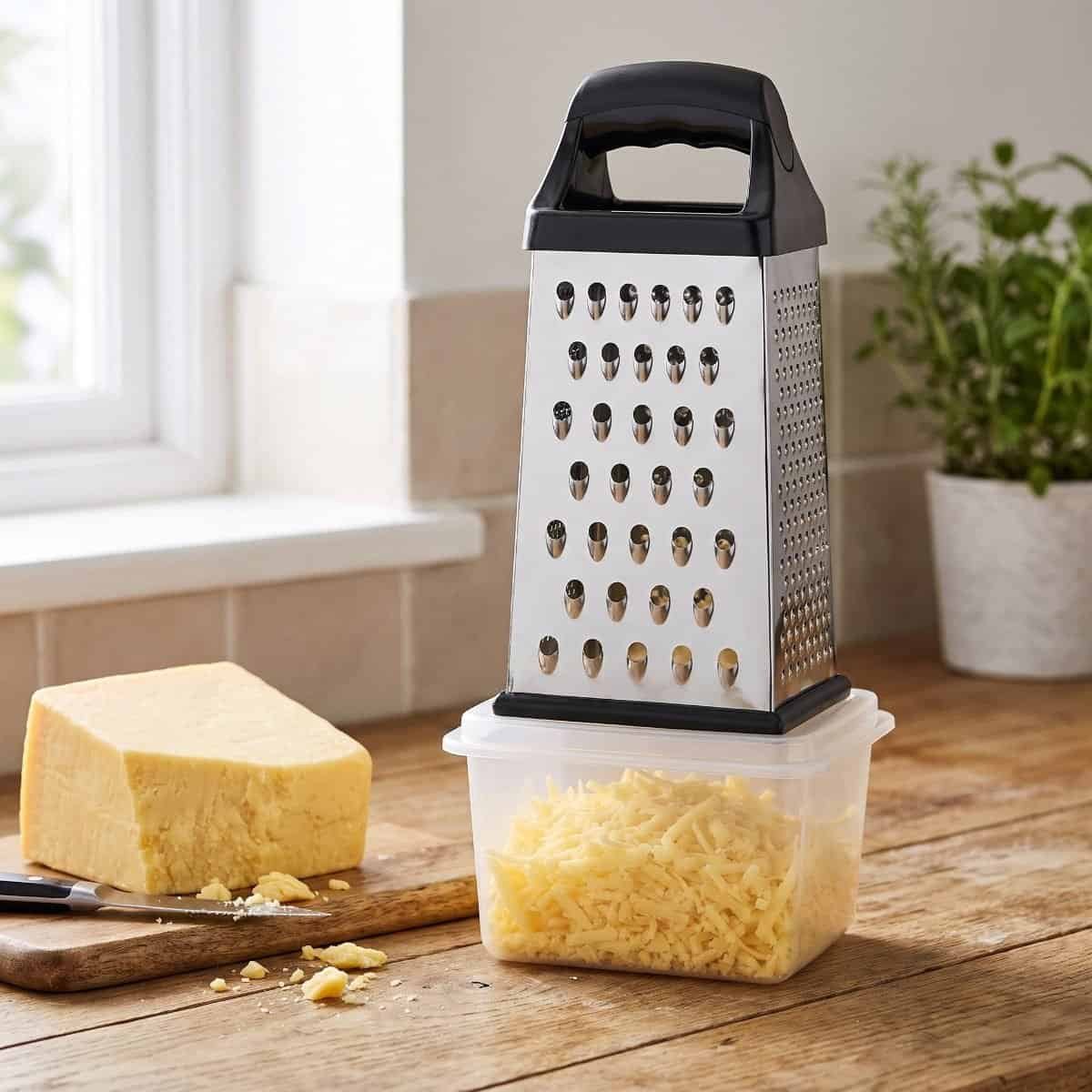
AI video tools can turn one product photo into an ad in minutes. But when I tested them on my own products, I found plenty of AI product video mistakes. My 6-sided cheese grater came back with 4 sides. My brand name was misspelt on the end card. And in one video, the AI printed another company’s logo on my grater.
If you sell on Amazon, eBay or Shopify, these AI product video mistakes matter. An ad that shows the wrong product can lead to complaints, returns or even trademark trouble. The good news is that most mistakes have a simple cause, and you can prevent many of them before you generate anything.
In this guide, I’ll show you the mistakes I found, why they happen, and the photo and prompt fixes that actually worked.
Disclosure: some links on this page are affiliate links. It doesn’t change what I recommend.
The AI product video mistakes I found in my tests
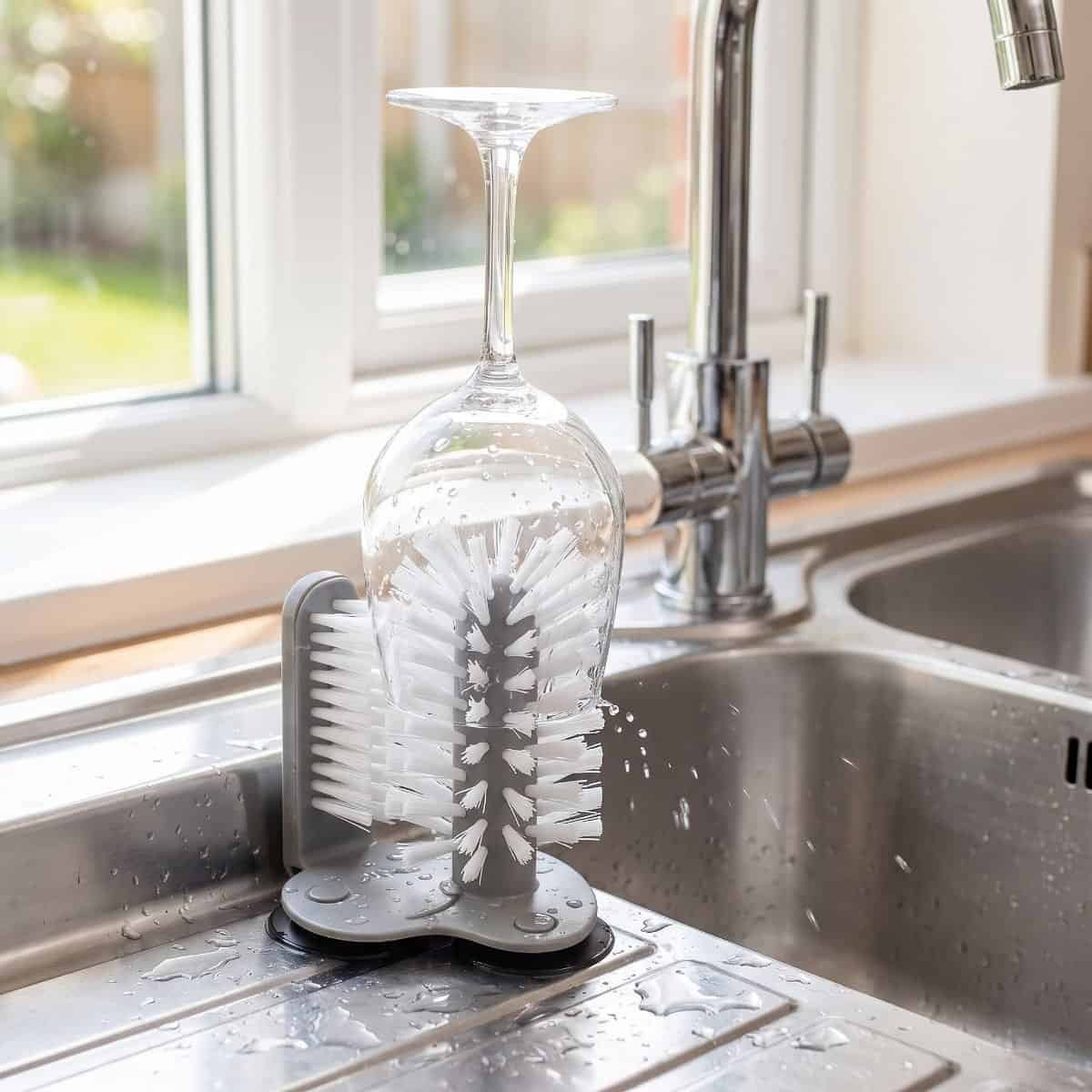
I tested AI tools on two products from my Amazon UK shop: a glass cup washer that suctions to the sink, and a 6-sided box grater that sits on its own container. Here’s what went wrong.
| Mistake | What happened | How serious |
|---|---|---|
| Another brand’s logo | An “OXO Good Grips”-style logo appeared on my grater | Very serious: trademark risk |
| Wrong product shape | My 6-sided grater was shown with 4 sides | Serious: buyers may expect a different product |
| Wrong brand name | The end card spelt DTDF as “TTDF” | Serious: it’s your brand |
| Wrong or doubled parts | The container briefly appeared twice, and once a different container was swapped in | Medium |
| Objects changing between shots | The glass changed shape from one shot to the next | Minor: most viewers won’t notice |
Most of these came from my AdsTurbo test, which you can read about in my AI video tools comparison. But this isn’t a problem with one tool. Any tool that rebuilds your product from a photo can make the same mistakes.
Why AI product video mistakes happen
1. It only knows what your photo shows. My first grater photo showed two sides, with the container beside the grater. The AI couldn’t see the other four sides, so it filled the gap with the most common type of box grater: a 4-sided one. It also kept the container separate, just like in my photo.
2. Your photo usually beats your text. I wrote “6-sided” in my description, and the video template ignored it. An AI image tool did follow my text and put the grater on its container, but it still drew 4 sides to match the photo. When your photo and your text disagree, the photo usually wins.
3. AI borrows from products it has seen before. Plain, common products like box graters look similar to well-known brands. When the AI fills in missing details, it can borrow them from those brands, including their logo. The more generic your product looks, the bigger this risk.
4. Text is hard for AI video. Letters in AI video often get mixed up, which is how DTDF became “TTDF”. Short brand names with similar letters are especially at risk.
How to fix your photo before you generate
These steps fixed the biggest problem in my tests:
- Show the key feature. If your product has a part that matters, show it in place. For my grater, that meant photographing it fitted on its container.
- Show more than two sides. Shoot from a corner, slightly above, so three faces are visible. This tells the AI the true shape.
- Use a plain background and daylight. A white worktop or a sheet of A4 paper near a window works well. A phone photo is fine.
- Remove anything with another brand on it. No packaging, utensils or labels from other companies in the shot.
- Use your own photo. Don’t use a supplier’s or another seller’s photo, even if the product looks identical. You may not have the rights, and their logo could end up in your ad. I nearly made this mistake myself.
- Show one product per photo. Extra items confuse the AI about what it should copy.
When I retried with a photo showing three sides and the grater fitted on its container, the AI got all 6 sides right. It still swapped in a different container, though. A better photo fixes the shape, but you still need to check the result.
Write a prompt that protects your product
Your photo does most of the work, but a precise prompt helps the AI fill gaps correctly.
- Describe the exact details. Shape, number of sides, colours and how the parts fit together.
- Say what not to add. For example, “no logos or text on the product”.
- Write the presenter’s lines yourself. If an AI presenter speaks, put the exact words in quotes. Otherwise, it makes up its own script.
- Only use claims from your listing. If your listing doesn’t say “dishwasher safe”, don’t put it in the prompt.
Here’s the kind of prompt I now use:
6-sided stainless steel box grater with a black handle, fitted on top of its own white container. She grates cheese down one side so it falls straight into the container. No logos or text on the product. She says: “This 6-sided grater sits right on its own container, so the cheese goes straight in.”
Check for AI product video mistakes before you run the ad
AI mistakes are easy to miss at full speed. Pause on each scene and check:
- Your brand name is spelt correctly in every text overlay and on the end card
- The product’s shape, colour and number of parts match your listing
- There’s no other brand’s logo or name anywhere
- Every claim matches your listing
- Parts don’t double, disappear or change between shots
- Hands and objects look natural
- The voiceover says the right things (play it with the sound on)
For a 15-second ad, this takes about two minutes. It’s the most important two minutes of the whole process.
When to keep, fix or redo an AI product video
- Small glitch most people won’t notice (like the glass changing shape): keep the ad, or trim that scene.
- Brand name spelt wrong: cover the end card with your own text in a free editor, or regenerate.
- Wrong product shape or another brand’s logo: don’t use it. Improve your photo and generate again. Never run an ad showing another company’s logo.
AI product images are easier to get right than video
In my tests, AI product images were far more accurate than AI video. My glass cup washer image looked like a professional photo in a British kitchen and cost just 17 credits. Video has to keep the product right across hundreds of frames, so there are more chances for mistakes.
If you’re new to AI, start with lifestyle images for your listing’s extra image slots, then move on to video. Remember that Amazon’s main image must still be a real photo on a white background.
FAQs
Why does AI change my product’s shape?
It rebuilds your product from what it can see in your photo. Anything hidden, it guesses, usually by copying the most common version of that type of product. Show more sides to stop the guessing.
Can I use a supplier’s photo for AI ads?
Only if you have written permission to use it. Your own photo is safer, and it shows your actual product.
What should I do if an AI ad shows another brand’s logo?
Don’t publish it. Delete it, improve your photo, and generate again. Running an ad with another company’s logo could get you into trademark trouble. If you’re unsure, ask a legal adviser; I’m not a lawyer.
Which AI tool is most accurate for product videos?
It depends on your product. See my AI video tools comparison, where I tested each tool on the same products. For turning one product photo into a short clip, see my PixVerse review or try PixVerse (affiliate link).
Final thoughts
AI tools can save you hours, but you’re responsible for what your ad shows. Most AI product video mistakes come from the same place: the AI guessing what it can’t see. Give it a clear photo of your own product, write a precise prompt, and check every frame before you publish.
Want to see which tools got my products right? Read my full AI video tools comparison, or see how Creatify and Colossyan compared when I tested them on my own product.

Dave is the founder of DTDF Digitals and the owner of DTDF Home & Kitchen, a UK kitchenware brand that has sold over 500 products on its own store and Amazon. He also runs Smart Refurbish, a listing makeover service that gives small Amazon and eBay sellers’ tired listings a second life. He tests AI video, ad and seller tools on his own real products before reviewing them, and shares what each tool produced, what it cost and where it fell short.