Creatify vs Colossyan (2026): I Tested Both on My Own Product
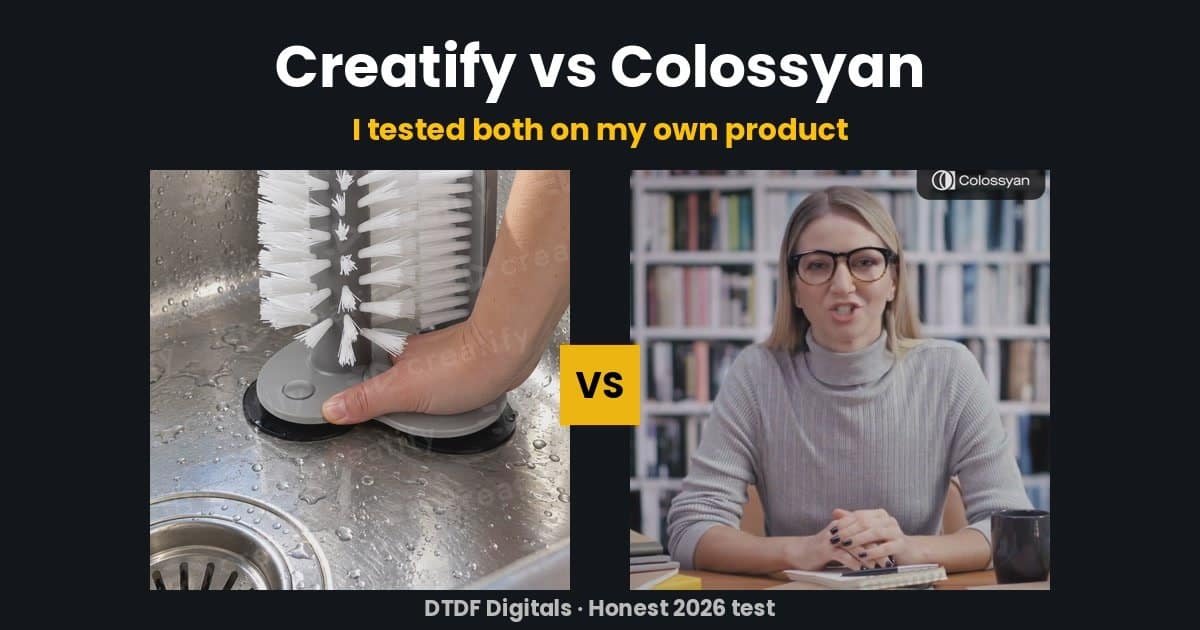
I run a small Amazon UK kitchen shop, DTDF Home & Kitchen, and I needed a short video ad for one product: a glass cup brush with three suction cups. So I ran a simple Creatify vs Colossyan test. I gave both AI video tools the same product and the same goal, used only their free plans, and wrote down exactly what happened.
Disclosure: some links on this page may be affiliate links. If you buy through them I may earn a small commission at no extra cost to you. I only write about tools I have actually used.
This is not a feature list copied from their websites. It is what each tool actually produced for a real product, what it cost, and where each one fell short.
Creatify vs Colossyan: quick verdict
- Creatify is built for product ads. I pasted my Amazon link and it wrote a script from my listing, made a British voiceover, music and three AI product scenes. But the free plan ran out of credits before it could render the moving footage, so I never got a finished video from it.
- Colossyan is built for presenter-style videos: an AI person talking to camera. It gave me a finished 37-second video on the free trial. But it knows nothing about your product, so you still need your own footage to show it.
- My pick for small product sellers: Creatify, if you will pay for the Standard plan. Colossyan if you want a talking presenter for explainers, how-to videos or training.
- The real winner: mixing AI with my own product footage. Both tools did best as helpers, not as a full replacement.
How I ran the Creatify vs Colossyan test
The product was my DTDF glass cup brush. It sticks to the sink with three suction cups, and you push a glass down over the bristles and twist. It is a simple product. However, it needs showing, which makes it a fair test for an AI video tool.
For each tool I wanted the same thing: a 30-second vertical video ad (9:16) for TikTok, Instagram Reels and Facebook, with a hook in the first three seconds, a British voice and a clear call to action. Also, I used the free plan or free trial only, with no paid credits.
Creatify test: a product ad from one link
Creatify’s main tool is now called Ad Agent. In other words, you chat with it like an assistant. I gave it a short brief and the Amazon link to my glass brush, then pressed send.
Here is what it did on its own, in about seven minutes:
- Read my Amazon listing and saved the product.
- Downloaded my product photos and checked them.
- Wrote a 29-second script using wording from my own listing, such as “press a glass down over the brush and twist” and “reaches right to the base”. It did not invent features.
- Made a friendly British female voiceover. It even read “DTDF” as letters.
- Made a light, upbeat music track with no vocals.
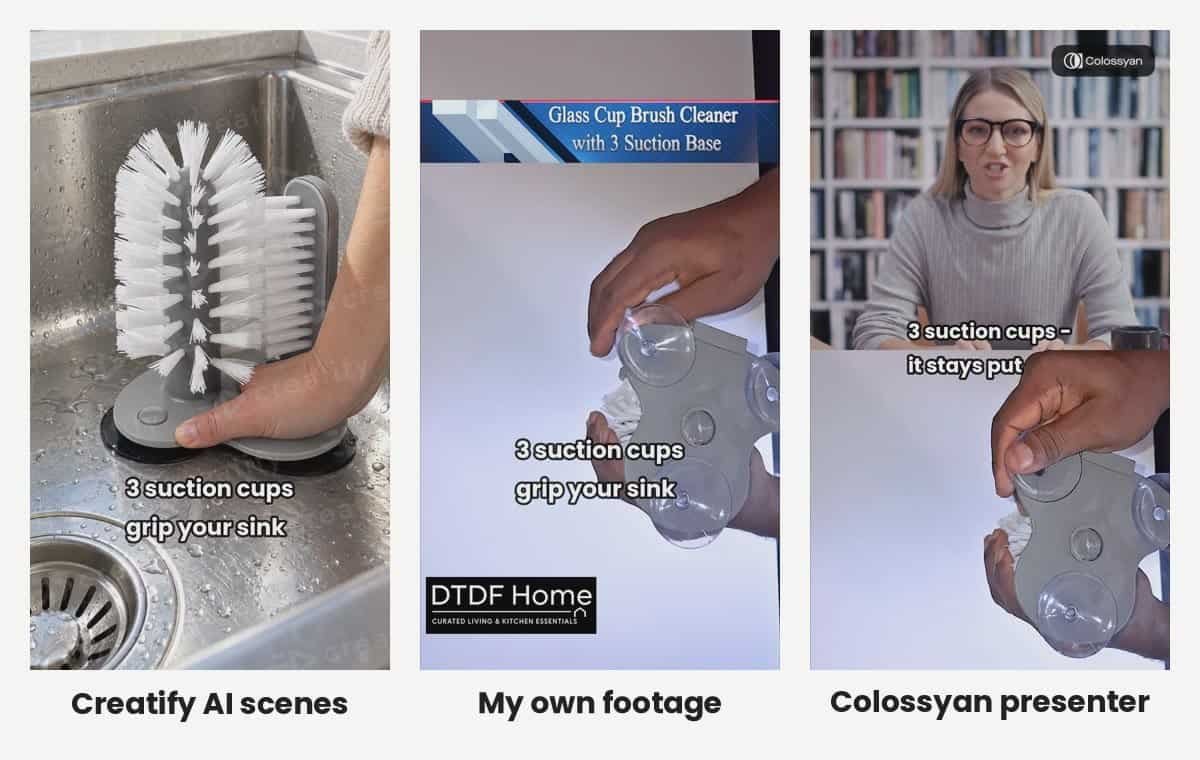
- Generated three AI product scenes: a hand pressing the suction base onto a sink, a glass pushed down over the bristles, and the brush in a sink with clean glasses.
Overall, the planning was impressive. In fact, the scenes matched my real product closely, down to the grey base and the flat side brush.
Where Creatify fell short on the free plan
However, then it stopped. The free plan gives you 10 credits a month. The script, voiceover, music and three scenes used 8.5 of them. Turning the scenes into moving video needed more credits than I had left, so Ad Agent told me it had run out and would not render a broken ad.
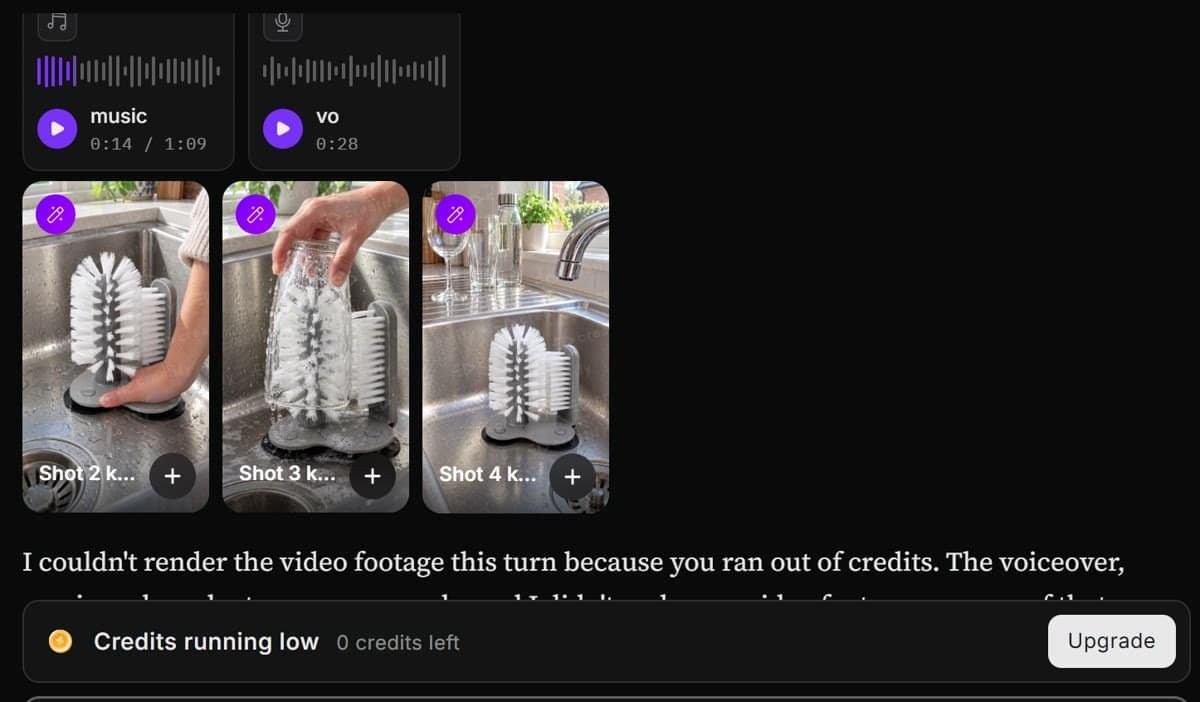
For example, some review sites say 10 credits is “about two videos”. In my test it was not enough for one Ad Agent video. Still, to be fair, the parts it did make could be downloaded, so I put them together myself in a video editor with captions. That gave me a usable 30-second ad, but with Creatify’s watermark on the scenes, because free exports are watermarked.
Colossyan test: an AI presenter talking about my product
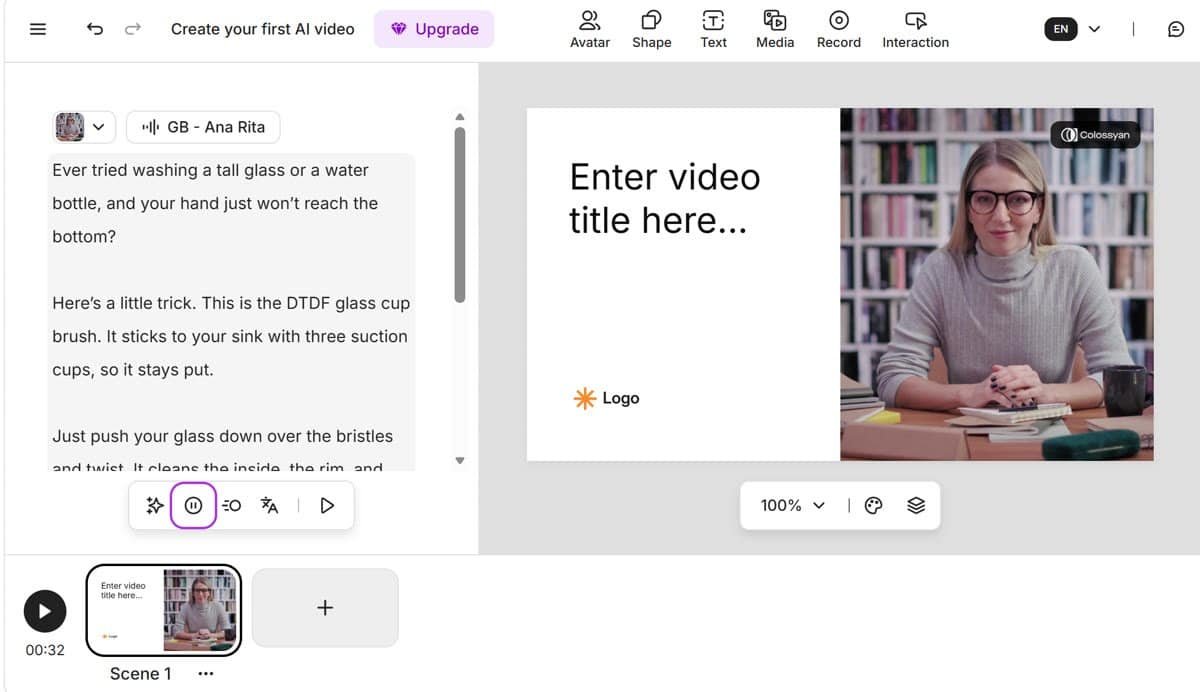
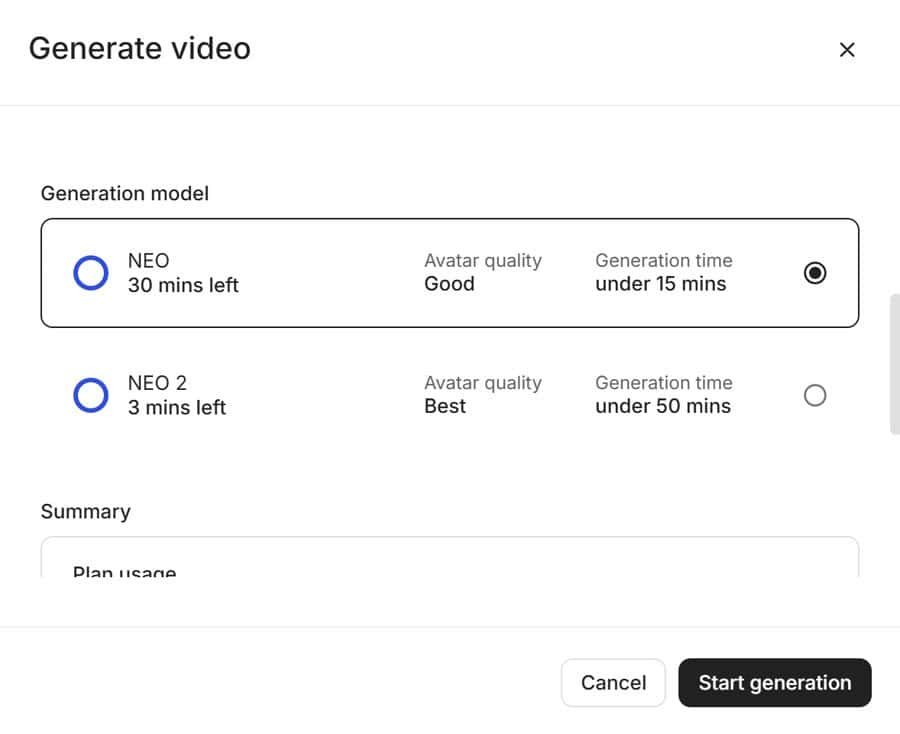
Colossyan works more like making slides. You get a scene with an AI presenter (an “avatar”), you type a script underneath, and you pick a voice. My account started on a Professional free trial with 30 minutes of standard (NEO) video and 3 minutes of the higher-quality NEO 2 avatars.
Next, I pasted my script, switched the voice from American to a British one (GB – Ana Rita), and clicked Generate.
When you generate, Colossyan asks you to choose a model. NEO is faster (under 15 minutes). NEO 2 looks more realistic but can take up to 50 minutes. There is also an option to add an “AI-generated” watermark, which is a nice touch for honesty.
What Colossyan got right and wrong
In short, it worked. I got a finished 37-second, 1080p video in under an hour. Also, the presenter’s lip-sync was good and the British voice sounded natural.
However, a few things stood out:
- It knows nothing about your product. Unlike Creatify, you cannot paste a product link. The presenter sits in front of a bookshelf and talks; she never shows the brush.
- The default template is for presentations. It is landscape (16:9), with a “Enter video title here” box and a logo placeholder. For a social media ad I had to crop it to vertical myself.
- The trial adds a small Colossyan badge in the corner of the video.
- Watch the script. I first left an old line in by mistake, and the video got longer. So, read it once before you generate.
So, to make it useful as an ad, I put the presenter in the top half of the screen and my own footage of the brush in the bottom half, matched to what she was saying. As a result, that combination looked much better than either one alone.
Creatify vs Colossyan: side by side
| Creatify | Colossyan | |
|---|---|---|
| Best for | Product and UGC-style ads | Talking presenter, explainers, training |
| Starts from | A product link or brief | A script you write |
| Understands your product? | Yes, it read my Amazon listing | No |
| Finished video on free plan? | No, ran out of credits | Yes, 37 seconds |
| British voices | Yes | Yes |
| Vertical 9:16 | Yes, by default for ads | Possible, but the default template is 16:9 |
| Free plan watermark | Yes | Yes |
| Time in my test | About 7 minutes (no final render) | Under an hour |
Creatify vs Colossyan pricing (October 2026)
First of all, prices are in US dollars, checked on each company’s pricing page in October 2026. Both change their plans often, so check before you buy.
Creatify pricing
| Plan | Price per month | Credits per month | Watermark |
|---|---|---|---|
| Free | $0 | 10 | Yes |
| Standard | $15 ($12 billed yearly) | 55 | No |
| Pro | $55 ($44 billed yearly) | 280 | No |
| Max | $95 ($76 billed yearly) | 730 | No |
In addition, Creatify has Business and Enterprise plans for agencies. Unused credits last two months.
Colossyan pricing
| Plan | Price | Video per month | Watermark |
|---|---|---|---|
| Starter | Free | 20 min (NEO), 0.5 min (NEO 2) | Yes |
| Professional | $59/month billed yearly | 30 min (NEO), 10 min (NEO 2) | No |
| Enterprise | Contact sales | Unlimited | No |
In other words, for testing, Colossyan’s free plan is more generous: 20 minutes of standard video is plenty to try it properly. Creatify’s 10 free credits are only enough to see what it can plan, not to finish an ad.
Creatify vs Colossyan: which should a small seller choose?
Choose Creatify if you sell physical products and want ads quickly. Starting from a product link is a real time-saver, and the script it wrote from my listing was clear, accurate and ready to use. However, budget for at least the Standard plan, because the free plan will not finish a video.
Choose Colossyan if you want a person on screen explaining something: how to use a product, a welcome video for your shop, or a course. It is also easier to control, and the free plan lets you finish real videos.
On the other hand, choose neither if you already have decent phone footage of your product. My favourite ad from this test used my own real footage with Creatify’s voiceover and captions. No watermark, no AI label needed, and it shows the real product.
If you want AI video from a single product photo instead, read my PixVerse review, where I turned one photo into a short product clip. For more options, see my guide to the best AI video tools for online sellers. You can also see all the tools I use on my Tools page.
Creatify vs Colossyan: tips if you try either tool
- Write the call to action carefully. If you want the voice to spell your brand, write it with hyphens (D-T-D-F). Write web addresses as words (“dot com”).
- Check the voice before you generate. Both tools let you preview the voice. It takes seconds and saves credits.
- Label AI content. TikTok and Instagram ask you to label AI-generated people and scenes. Use their “AI-generated” label when you post.
- Watch the first frame. If your video fades in from black, Instagram may use a black square as the cover. Start on a clear product shot or upload a cover image.
FAQs
Is Creatify free?
Creatify has a free plan with 10 credits a month, and exports are watermarked. In my test, 10 credits were not enough to finish one Ad Agent video ad.
Is Colossyan free?
Yes. Colossyan’s free Starter plan includes 20 minutes of standard avatar video a month, with a watermark. New accounts may also get a Professional trial.
Which is better for Amazon or Shopify product ads?
Creatify, because it builds an ad from your product link and listing. Colossyan is better for presenter-led explainer videos.
Can I use these videos as Amazon ads?
Amazon has strict rules for video ads, for example no links to outside websites. Use a paid plan so there is no watermark, and check Amazon’s video ad guidelines before uploading.
Creatify vs Colossyan: my final verdict
After this Creatify vs Colossyan test on my own product, Creatify is the smarter tool for product sellers, but its free plan is too small to judge it fully. Colossyan is the more generous free plan and finishes real videos, but it is a presenter tool, not a product-ad tool.
Finally, if I were spending money today, I would start with Creatify Standard for product ads and keep filming my own product clips to mix in. I will update this post if I upgrade and test the paid plans.