Captions AI Review 2026: We Tested It on a Real Product — Is It Worth Paying For?
In this Captions AI review 2026, we share what happened when we tested the video editor and AI-avatar workflow using our own product footage and photographs. Could a small business produce a useful advert without paying?
At DTDF Digitals, we tested Captions AI using a real product from our sister brand, DTDF Home & Kitchen. We wanted to find out whether a beginner could turn existing product footage and photographs into a short, professional-looking advertisement.
Our experience revealed some useful features, but also important limitations in what we could generate and download without subscribing.
What Is Captions AI?
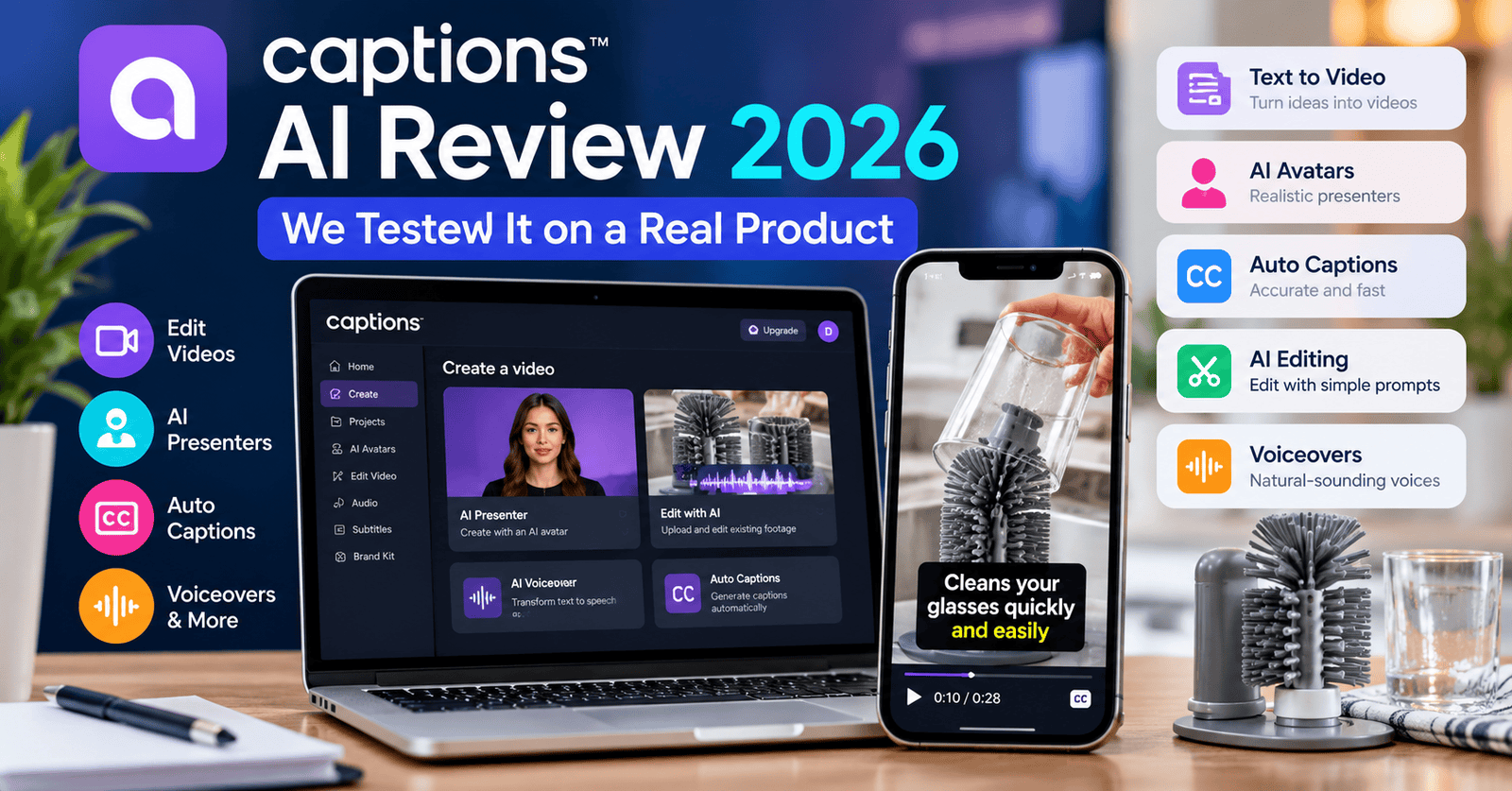
Captions AI is an AI-powered video creation and editing platform. It offers tools designed to simplify video production, including automated editing, on-screen captions and AI-presenter videos.
It is particularly relevant to content creators, marketers and small businesses that want to produce short-form videos without learning complicated editing software.
However, the availability of individual features depends on the subscription plan.
How We Tested Captions AI
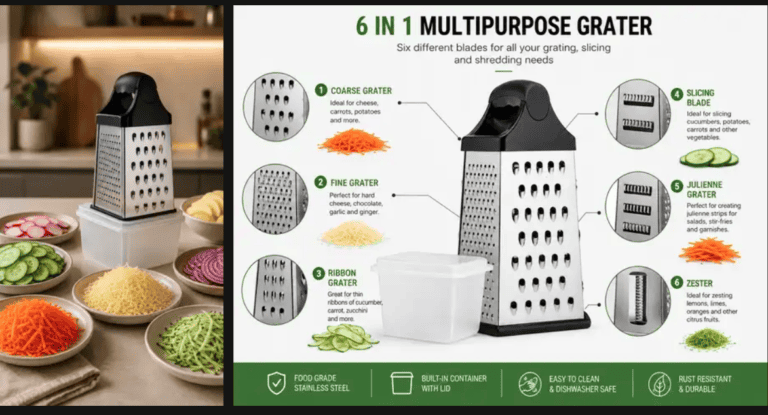
We used the DTDF Glass Cup Brush Cleaner, a real kitchen product with three suction cups designed to help keep the brush stable during cleaning.
Our test materials included:
- Four photographs of the product.
- An existing 10-second video showing a dirty drinking glass.
- A written prompt requesting a 15-second vertical advertisement.
- A separate prompt requesting a 20-second AI-presenter advertisement.
We wanted to evaluate the platform from a beginner’s perspective rather than assess its features using demonstration videos supplied by the company.
Captions AI Review 2026 — Test 1: Editing an Existing Product Video
We uploaded our existing video and asked Captions to create a short advertisement using our product photographs.
Our instructions included highlighting the brush’s three suction cups, adding simple advertising captions and preserving the product’s real appearance.
We selected the Elevate editing style and automatic editing intensity.
What Happened?
Captions produced a preview, but the result remained very similar to our original 10-second footage.
The most noticeable change was the addition of advertising text on the screen. We did not see the more substantial transformation we had requested.
This was disappointing because we had hoped to see a more complete advertisement incorporating our product photographs.
Could We Download the Video?
When we clicked Download, Captions displayed a subscription requirement.
Although we could inspect the preview, we could not export the finished video without upgrading.
Our assessment: The editing workflow was accessible, but the result did not meet our expectations for the requested transformation. The export restriction also limits how useful this test was without a paid subscription.
Test 2: Creating an AI-Presenter Advertisement
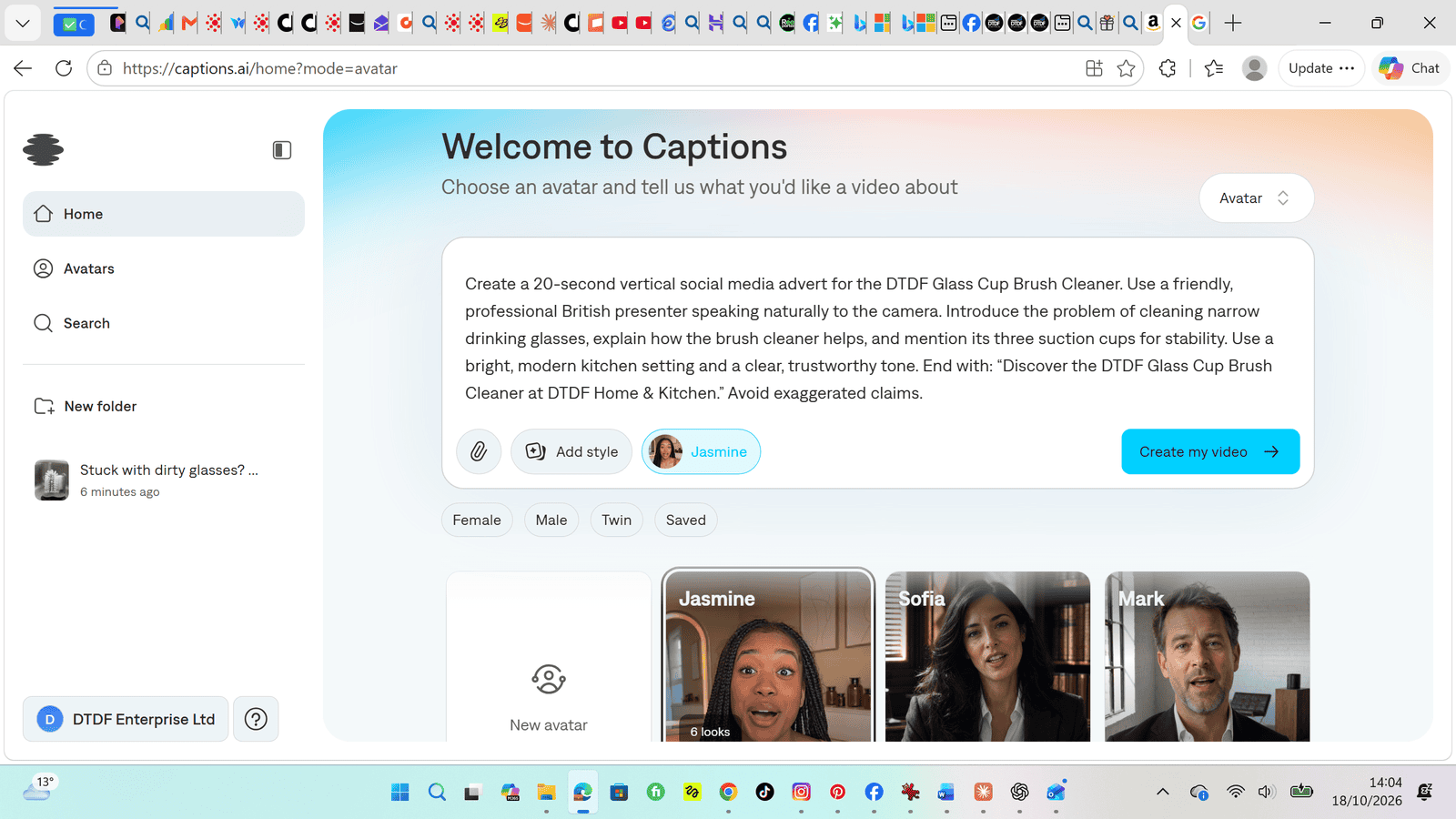
For our second test, we selected Captions’ Avatar feature.
We chose an AI presenter named Jasmine and entered instructions for a 20-second vertical advertisement introducing the glass cup brush cleaner.
The prompt requested a friendly British presenter, a modern kitchen setting and a natural explanation of how the product helps with cleaning drinking glasses.
What Happened?
After preparing the project, we clicked Create my video.
Instead of generating the requested video, Captions redirected us to a subscription page.
This meant we could not evaluate the quality of the AI presenter, voice delivery, lip synchronisation or finished advertisement.
Our assessment: We could explore the setup process, but we could not verify the actual AI-avatar generation quality on our account without subscribing.
Captions AI Pricing: What We Saw
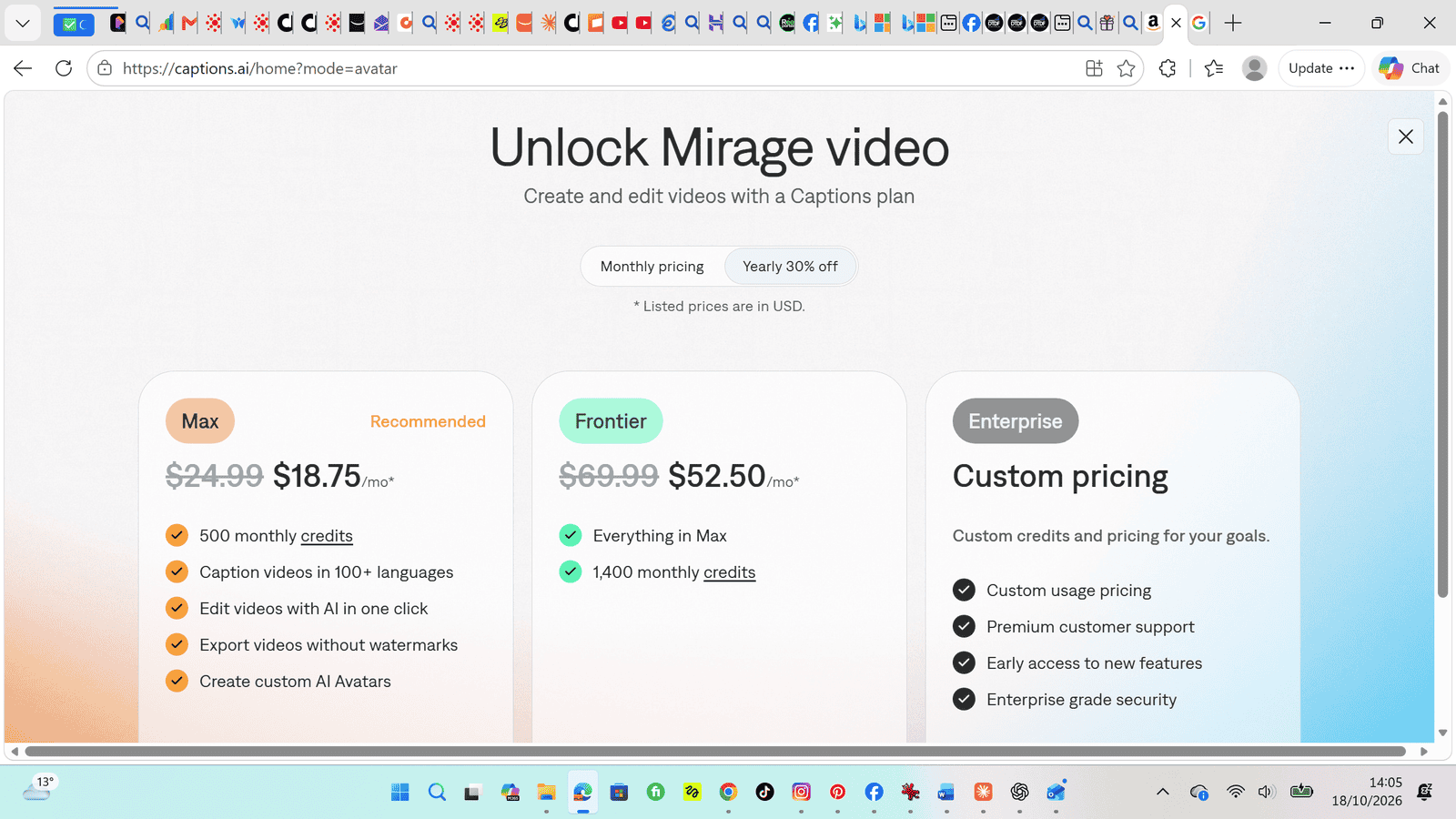
During our testing, Captions presented Max and Frontier subscription options.
The monthly billing screen showed approximately:
| Plan | Monthly price displayed |
|---|---|
| Max | $24.99 |
| Frontier | $69.99 |
The annual billing option displayed lower monthly-equivalent prices, but involved an annual billing commitment.
We also encountered a promotional offer for a discounted first month, followed by renewal at the regular monthly price.
Pricing and promotional offers can change, so readers should check the official Captions AI website before subscribing. For comparison, see our hands-on comparison of AI video tools for online sellers.
What We Liked
- The interface was relatively straightforward to navigate.
- We could prepare a video-editing project using an existing recording.
- The editing preview allowed us to inspect the result before paying.
- The AI-avatar workflow offered a choice of presenters and a simple prompt-based setup.
What Could Be Better?
- Our edited video changed less than we expected.
- Downloading the edited video required a subscription.
- Our AI-avatar generation attempt stopped at the subscription screen.
- It was difficult to judge the platform’s full value without paying to complete the second test.
Is Captions AI Suitable for Beginners?
The initial workflow was approachable. We could upload footage, write instructions and navigate the available creation modes without specialist editing knowledge.
However, beginners should distinguish between being able to prepare a project and being able to produce a downloadable finished video.
In our tests, that distinction mattered.
Is Captions AI Worth Paying For?
That depends on what you need.
Creators who regularly produce videos may find value in Captions’ paid editing and AI-generation features. However, our limited free-access testing did not establish whether the paid output quality justifies the subscription.
We would need to complete a paid generation and export test before making a confident recommendation about its overall value for money.
For a small business experimenting with AI video for the first time, we recommend checking the current plan restrictions before subscribing.
What Our Two Tests Actually Establish
The strongest finding from this review is the difference between starting a project, seeing a preview and obtaining a finished asset. These are separate milestones. In the editing test, we reached the preview stage and could inspect the visible changes. In the presenter test, we reached the creation request but did not obtain a generated video. Neither route gave us a downloadable advertisement during this session.
That distinction keeps the review fair. A subscription screen tells us about access on our account at that point; it does not tell us whether the output behind that screen is good or bad. Likewise, a modest editing result is evidence about our particular combination of footage, instructions and settings. It is not proof that every editing style or every paid workflow will behave the same way.
We have therefore avoided giving Captions a numerical score. Combining an inspected editing preview with an untested avatar output into a single rating would imply a level of coverage we do not have. Our observations are useful for understanding the buying journey, but they leave substantial questions about paid performance unanswered.
Why Product Accuracy Matters More Than a Polished Effect
For this project, the advertisement needed to represent a specific physical item. An attractive video would still be unsuitable if it changed the shape of the brush, obscured its three suction cups or suggested a function that the real product does not have. Our instruction to preserve the product’s appearance was therefore central to the brief.
A useful product advertisement should make the relationship between the item and its benefit easy to understand. In our case, we wanted viewers to understand the role of the suction cups and how the brush relates to cleaning a drinking glass. Captions added advertising text, but we did not see the fuller transformation involving the supplied photographs that we had hoped for.
We cannot identify the cause from this single attempt. Our source clip, the prompt, the selected style or the available workflow may each have influenced the result. We did not run controlled comparisons that changed one factor at a time. The honest conclusion is that this attempt fell short of our brief, rather than that we established a universal limitation of the software.
How We Would Structure the Next Editing Test
A follow-up should begin with a simple shot plan. For a 15-second advertisement, we would define an opening problem, a clear product demonstration and a short closing message. That would give us specific moments to look for when comparing the requested sequence with the generated result. This is our proposed testing method, not a workflow we completed in the session described above.
We would also separate changes to the footage from changes to the captions. A video can gain readable text while retaining almost all of its original visual structure. That may be enough for someone who only needs subtitles or a basic promotional overlay. It is a different outcome from assembling multiple assets into a new advertisement, which was closer to our intention.
To make the comparison useful, we would keep the source assets consistent and record each prompt and setting. We would then check whether the photographs appeared, whether the requested duration was followed and whether the finished sequence communicated the product accurately. Only after inspecting the exported file would we judge whether it was ready for a real campaign.
What We Still Need to Check in a Paid Avatar Test
Selecting Jasmine and writing a presenter brief gave us a sense of the setup process. It gave us no basis for assessing the performance of that presenter. We did not hear a generated British voice, inspect lip synchronisation or see whether the requested kitchen setting appeared. Those remain open questions.
In a future paid test, we would first compare the spoken script with the supplied instructions. We would listen for pronunciation, pacing and an appropriate tone for a practical household product. We would also check whether the presenter introduced unsupported claims or sounded as though they had personally used the product when no such experience had been established.
Visual checks would include the consistency of the presenter, the plausibility of any product interaction and the accuracy of the product itself if it appeared. A convincing talking head does not automatically demonstrate a kitchen tool correctly. We would need to inspect both the presentation and the factual message before considering the result suitable for our brand.
A Subscription Checklist for a Small Business
Before paying, write down the exact output you need. In our case, that means a short vertical advertisement using existing product material and a separate presenter-led concept. Someone who only wants text added to a recorded clip has a different requirement. Matching a plan to a specific job is more useful than comparing a long list of feature names.
Check the current terms for that job directly with Captions. Questions to resolve include whether the intended creation mode is included, how any usage allowances work, what export options are available and whether the result meets your intended commercial use. We did not verify all of these terms, so this checklist should not be read as a statement that a particular plan includes them.
Billing deserves a separate check. Compare the amount charged today with the renewal amount, the billing period and any promotional conditions. A monthly-equivalent figure displayed beside an annual option should not be treated as the amount due each month without reading the checkout terms. The prices recorded in this review describe what we saw during testing, rather than a guaranteed current quote.
Finally, consider the time required to get an acceptable result. Uploading assets, writing prompts, reviewing attempts and correcting inaccuracies all take time. Our session did not measure a reliable production-time saving. For our business, a subscription would need to make that whole process worthwhile, rather than simply make the first project easy to start.
Who May Find This Review Most Useful?
This review is especially relevant to a small business owner approaching Captions with existing product photos and a short recording. It shows where we were able to inspect something and where payment prevented further evaluation. It also highlights why a beginner should check the export stage early, before assuming that a preview can become a usable marketing asset.
Our findings are less informative for an experienced editor assessing advanced controls, a creator producing large volumes of talking-head content or a team comparing paid plans across many campaigns. We did not test those situations. We also did not measure sales, click-through rates or audience engagement, so we cannot claim that Captions improved advertising performance.
Frequently Asked Questions
Can you use Captions AI without paying?
On our account, we could explore the interface, prepare projects and inspect an editing preview. Downloading that edited video required a subscription, and our avatar attempt reached a subscription screen before generation. These are the limits we encountered, rather than a promise about every account or future offer.
Did Captions turn our photographs into a finished advertisement?
We supplied photographs alongside the existing clip and requested a more complete advertisement. The preview remained similar to the original footage, with advertising text as the clearest change. We did not obtain the finished downloadable advertisement we had intended to make.
Did we test the quality of Jasmine’s AI voice?
No. We selected the presenter and prepared the instructions, but generation did not proceed without subscribing. Any judgement about the voice, accent or lip synchronisation would go beyond our evidence.
Would we subscribe on the strength of these results alone?
We would first confirm that the intended plan covers our specific workflow and decide whether a paid evaluation fits our budget. Our free-access results alone do not justify a confident purchase recommendation. A completed export and a generated presenter video would provide a stronger basis for that decision.
Captions AI Review 2026: Our Verdict
Captions AI offers an accessible introduction to AI-assisted video editing and avatar-based creation, but our testing exposed meaningful restrictions.
Our first test produced a preview with captions, although the visual transformation was modest. Our second test could not proceed to video generation without a subscription.
Our conclusion: Captions is worth investigating if you regularly create video content, but we cannot yet recommend purchasing a subscription solely on the basis of our free-access results.
This is an independent hands-on review based on our experience with Captions AI in October 2026. We did not complete a paid-generation test.
Affiliate disclosure: If affiliate links are added to this article, DTDF Digitals may earn a commission from qualifying purchases at no additional cost to readers. Any commission arrangement does not change the testing results described above.