Clico Free Plan Review (2026): I Tested It on My Own Product
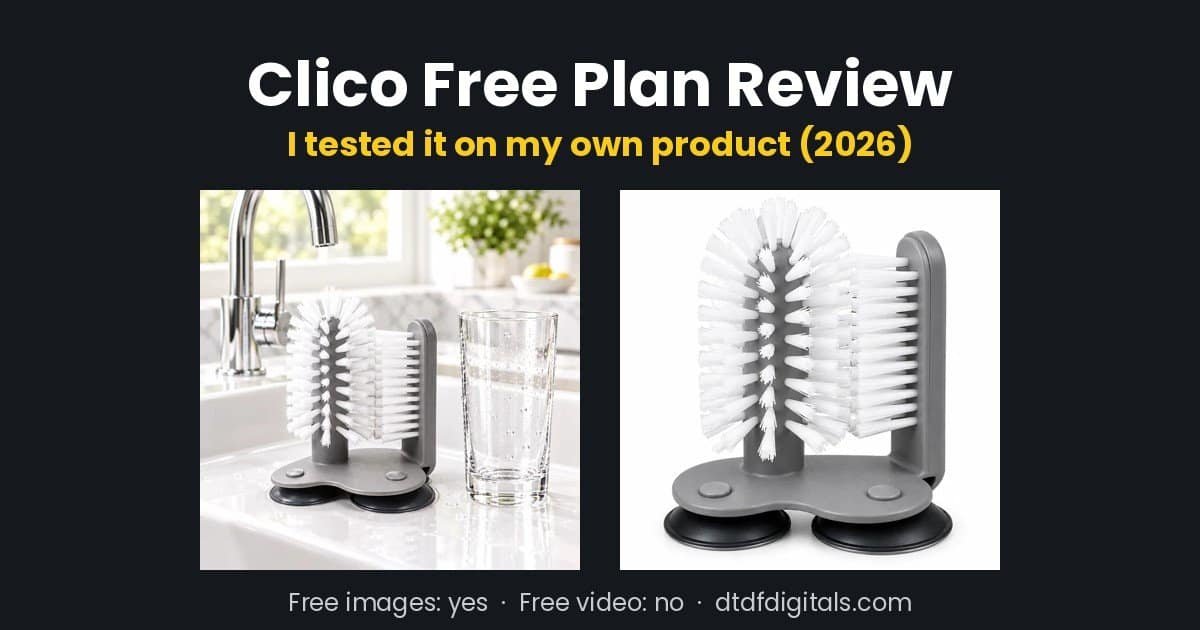
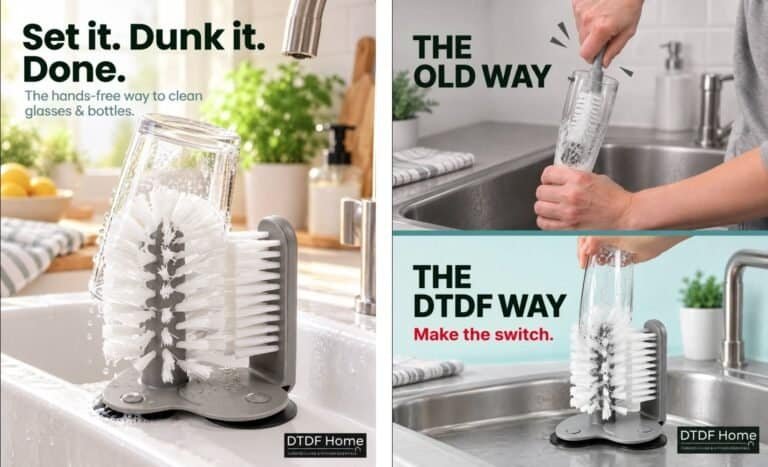
Clico is a new AI tool that says it can make product images, videos, ad copy and UGC-style content for online sellers. I sell kitchen products on Amazon UK and eBay, so I signed up for the Clico free plan and tested it on one of my own products: a glass cup brush that sticks to the sink.
Short answer: the free plan made good product images for me, but it would not make a video. Here is exactly what I got, what it cost in credits, and who should pay for it.
🎁 Reader offer: get 20% off your first Clico purchase through my link (code DAVID20OFF5J as backup).
Disclosure: I’m a Clico affiliate. If you sign up through my link, I may earn a commission at no extra cost to you, and you get 20% off your first purchase. This review is based only on my own test, and Clico did not see it before publishing.
Clico free plan: quick answer
- What you get: 200 credits a month, no card needed. Credits refresh every month.
- What worked: AI product images. One image used about 4 credits, so the free plan covers roughly 50 images a month.
- What is locked: video. When I tried to make a video, Clico said: “Video generation is available on Pro and Max plans.”
- Cheapest paid plan: Pro at $16 a month, with 2,000 credits.
- Best for: sellers who need lifestyle and white-background product photos without a photographer.

What is Clico?
Clico is an AI workspace you use like a chat. You type what you want, add files, and it creates the result. From the “+” menu it offers: create image, create video, create music, create 3D asset, create game and create website. It also has research and file tools.
Behind the scenes, Clico uses other companies’ AI models. In my account, the image tool used GPT Image 2.5 Flare, and the video tool offered Seedance 2.5, Seedance 2.0, Seedance 2.0 Fast and MiniMax H3 Max.
How I tested the Clico free plan
I used the same product and goals as in my Creatify vs Colossyan test, so the results are easy to compare:
- A 5-second vertical (9:16) video ad from one product photo.
- A lifestyle photo for an Amazon listing.
- A white-background main image for Amazon and eBay.
I uploaded one photo of my glass cup brush in a sink, with my hand in the shot, and wrote a short prompt for each.
Test 1: video (locked on the free plan)
I chose Video mode, picked Seedance 2.0, and set 5 seconds, 720p and 9:16. When I pressed send, Clico showed this message instead of making the video:
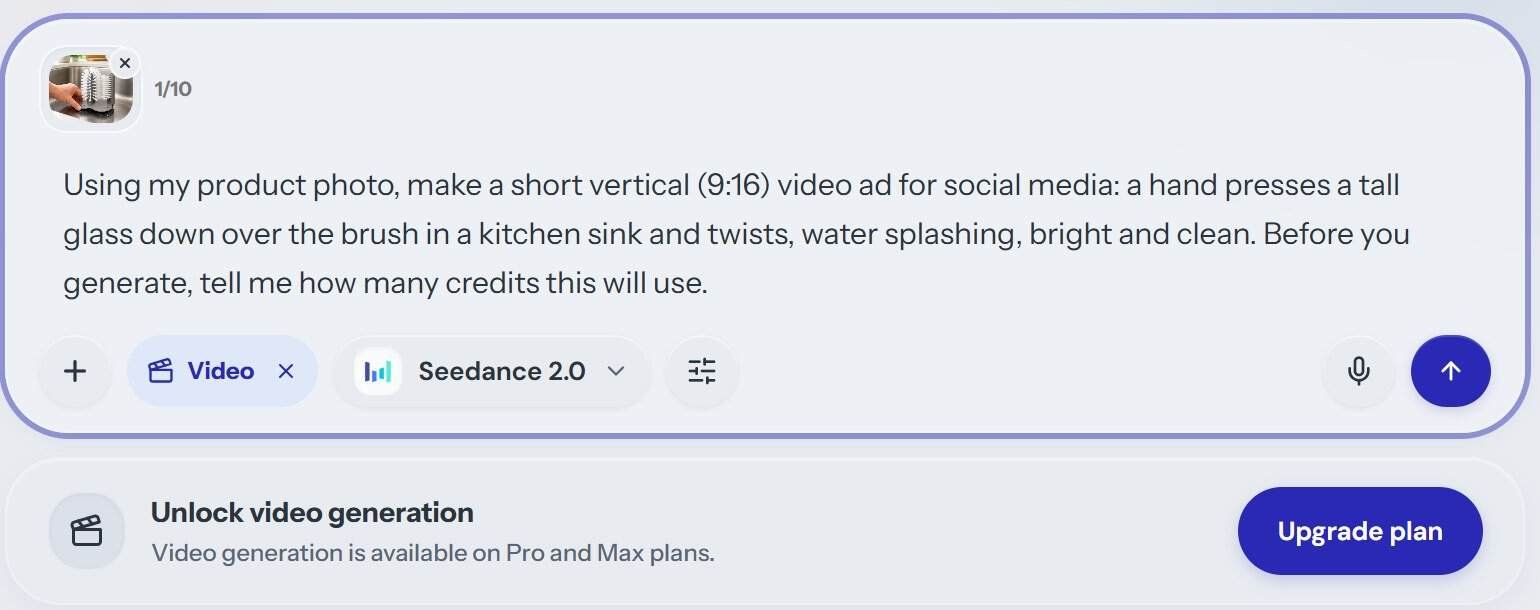
So, like the Runway free plan, Clico lets you see and set up the video models, but you have to upgrade to use them.
Test 2: lifestyle product photo
My prompt asked for “a clean, bright lifestyle product photo for an Amazon listing: the glass cup brush stuck to a white kitchen sink, a tall clean glass beside it, soft natural light, realistic. Square 1:1.”
The result came back in under a minute. It kept the important details of my real product: the central cylinder brush, the flat side brush and the grey base with suction cups. It removed my hand and added a clean glass, a tap and some soft greenery. Clico’s assistant also explained its choices, such as why it placed the glass next to the brush (to show scale and what the product is for).
That one image used about 2% of my monthly credits, roughly 4 of the 200.
Test 3: white-background main image
Next I asked it to “remove the background from my product photo and place the glass cup brush on a pure white background, centred, for an Amazon / eBay main image.”
The result was clean and centred, with a soft shadow under the base so it did not look like a cut-out. Clico said the background was pure white (RGB 255, 255, 255) and that the product filled about 85% of the frame, which matches Amazon’s main image guidance.
One important warning about AI product images
Clico did not cut my real photo out. It redrew my product with AI. It looked very close, but it is still an AI image, not a photo of the item a customer will receive.
Amazon says the main image must accurately show the product being sold. So before you use an AI image as your main image, compare it carefully with the real item: size, colour, number of parts and any text or logos. If anything is different, use the AI image for secondary images, social posts or ads instead.
Also note the file size. The images I saved were 640 x 640 pixels in WebP format. That is fine for social media and websites, but Amazon recommends at least 1,000 pixels on the longest side so shoppers can zoom. I could not find a larger download on the free plan.
Clico pricing (October 2026)
| Plan | Price | Credits | Video |
|---|---|---|---|
| Free | $0, no card | 200 a month | No |
| Pro | $16 a month ($192 a year) | 2,000 a month | Yes |
| Max | $40 a month ($480 a year) | 5,000 a month | Yes |
These are the prices shown in my account in October 2026. Annual plans save 20% and are charged up front. Plan credits refresh monthly, and extra credits you buy last 12 months. Check Clico’s billing page for current prices before you pay.
Clico pros and cons
Pros
- A real free plan: 200 credits a month with no card.
- About 50 AI product images a month for free in my test.
- Kept the important details of my real product.
- Simple chat interface: no design skills needed.
- Access to several well-known AI models in one place.
Cons
- No video on the free plan.
- Saved images were 640 x 640 WebP, smaller than Amazon recommends.
- Product images are AI redraws, so you must check them against the real item.
- I could not see the credit cost before generating; I had to check my balance afterwards.
Who should use Clico?
Use the free plan if you sell on Amazon, eBay, Etsy or Shopify and need extra lifestyle images, social posts or quick white-background mock-ups without paying a photographer.
Consider Pro if you also want AI video ads and like having several AI models in one place. At $16 a month it is cheaper than Runway Pro.
Look elsewhere if you want free AI video. In my tests, PixVerse was the only tool whose free plan made watermarked product clips. See my full guide to the best AI video tools for online sellers.
FAQs
Is Clico free?
Yes. Clico has a free plan with 200 credits a month and no card required. In my test it made AI images, but video needed a paid plan.
Can Clico make videos on the free plan?
No, not in my October 2026 test. Clico showed “Video generation is available on Pro and Max plans.”
How many images can you make on Clico’s free plan?
One image used about 4 credits in my test, so around 50 images a month. This may change depending on the model and settings you choose.
Can I use Clico images on Amazon?
You can, but check them carefully. Clico redraws your product with AI, and Amazon’s main image must accurately show the real product. The images I saved were also smaller than Amazon’s recommended 1,000 pixels.
Clico free plan review: my verdict
Clico’s free plan is genuinely useful for product images. It turned one messy photo of my glass cup brush into a clean lifestyle image and a white-background image in minutes, and the free credits go a long way. But if you want AI video, you will need the $16 Pro plan.
For small sellers, I would use Clico’s free plan for extra listing and social images, and test the Pro plan for one month only if video ads are a priority.
You can try it at tryclico.com. New users who sign up through my link get 20% off their first purchase (it applies automatically; if it doesn’t, use the code DAVID20OFF5J at checkout).

Dave is the founder of DTDF Digitals and the owner of DTDF Home & Kitchen, a UK kitchenware brand that has sold over 500 products on its own store and Amazon. He also runs Smart Refurbish, a listing makeover service that gives small Amazon and eBay sellers’ tired listings a second life. He tests AI video, ad and seller tools on his own real products before reviewing them, and shares what each tool produced, what it cost and where it fell short.