Runway Free Plan Review (2026): Can You Make AI Videos for Free? I Tested It

Runway is one of the most talked-about AI video tools, so I wanted to know one simple thing before paying: can you actually make AI videos on the Runway free plan? I signed up, tried to turn one of my own product photos into a short video, and recorded every step.
Short answer: no. In my test, the free plan gave me credits, but every video model was locked behind a paid plan. Here is exactly what happened, what the free plan is still useful for, and what to use instead if you want free AI video.
Disclosure: I have applied to Runway’s affiliate programme. Some links on this site are affiliate links, but this review is based only on my own test, and Runway has not seen it.
Runway free plan: quick answer
- What you get: a free account with 500 credits (plus a 250-credit bonus for coming back the next day).
- What you cannot do: generate a video. Every video model I tried, including Gen-4.5 and Gen-4 Turbo, needed an upgrade.
- The catch: Runway’s AI Agent still used 5 credits for each chat reply, even though the video itself was blocked.
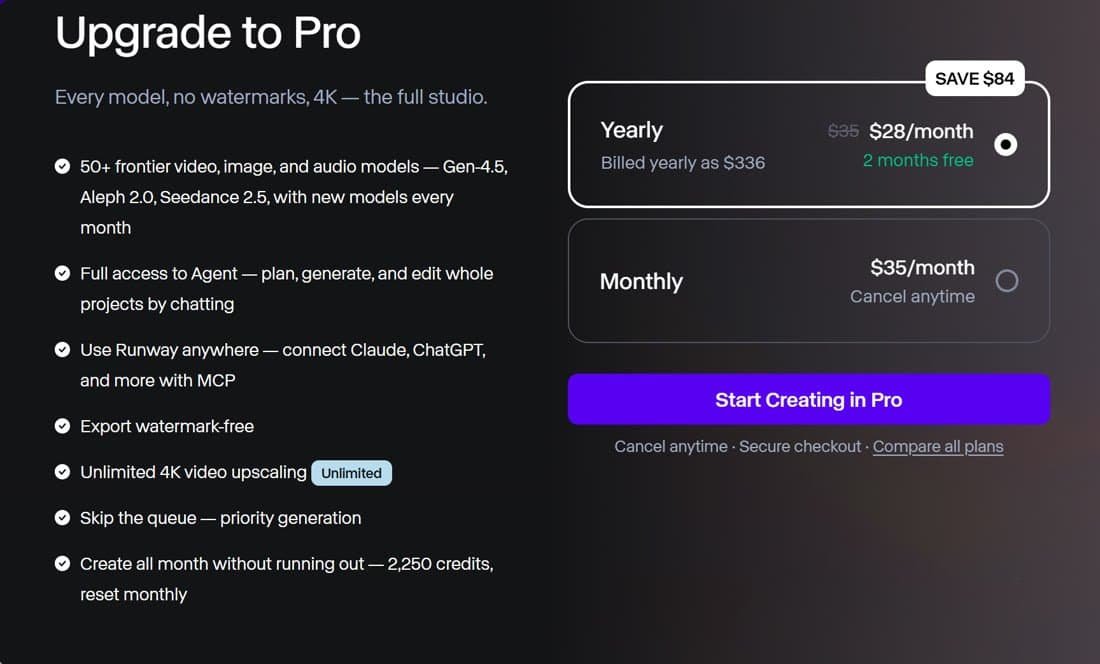
- Cheapest way to make videos: a paid plan. Pro was offered to me at $35 a month, or $28 a month billed yearly.
- Free alternative: PixVerse, which let me make watermarked product clips on its free plan.
What is Runway?
Runway is an AI video platform used by filmmakers, agencies and brands. It can turn a photo or text prompt into a video clip, edit existing videos, and run lots of different AI models, including its own Gen-4 and Gen-4.5 models and others such as Kling and Seedance. It also has an AI Agent you can chat with to plan and create whole projects.
For small online sellers, the appeal is simple: upload a product photo and get a short, realistic video for TikTok, Instagram Reels or your product page.
How I tested the Runway free plan
I run a small Amazon UK kitchen shop, so I used one of my own product photos: a hand grating cheese on my stainless steel grater. My goal was a 5-second vertical (9:16) clip, the same test I had already done with PixVerse.
Step 1: Sign up and onboarding
Signing up was quick. Runway asks a few questions, such as what describes you, what you are making and your company size. I chose “I sell products online”, “Product videos” and “Just me”. Then an “Upgrade to Pro” pop-up appeared straight away, with the yearly plan already selected. I closed it and carried on with the free account.
Step 2: Free credits and quests
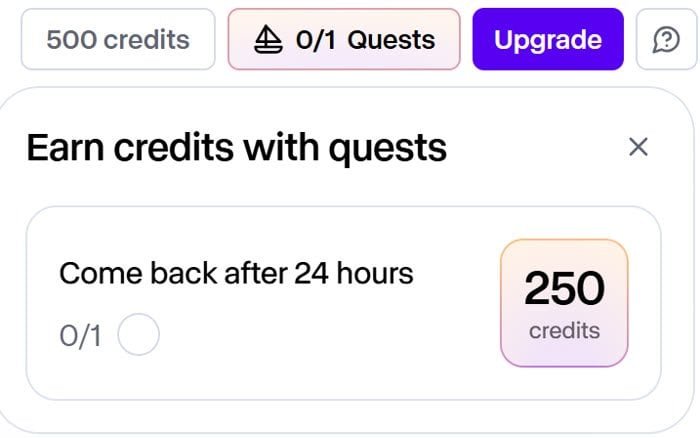
My free account showed 500 credits. There was also a “quest” offering 250 more credits if I came back after 24 hours. So far, so generous.
Step 3: Asking the AI Agent to make the video
Next, I uploaded my grater photo to Runway’s Agent and asked for a 5-second 9:16 video. The Agent wrote a good plan, but the best model, Gen-4.5, showed “Upgrade to use this model”.
So I asked it to use a model available on the free plan. It switched to Gen-4 Turbo and showed an approval card: 9:16, 5 seconds, 25 credits.
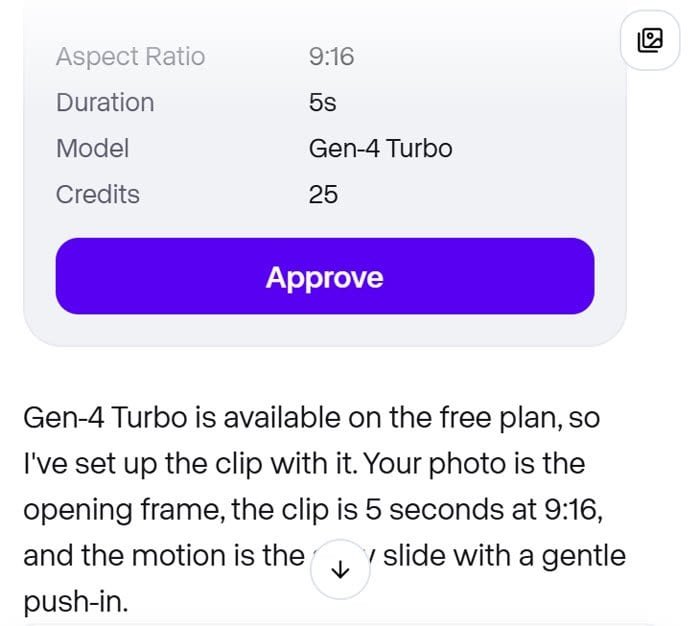
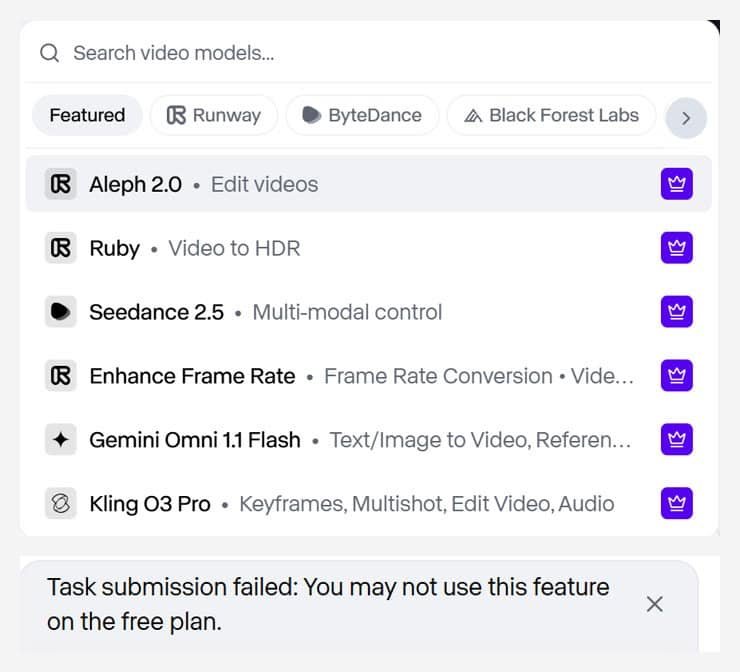
However, when I pressed Approve, it failed with this message: “Task submission failed: You may not use this feature on the free plan.” My credits were not charged for the video. Even so, each of my two chat messages to the Agent had used 5 credits.
Step 4: Trying the video tool directly
Finally, I skipped the Agent and opened Runway’s video tool directly. I selected Gen-4 Turbo and added my photo as the first frame. The button still said “Upgrade”. When I opened the model list, every video model had a purple crown badge, which marks paid-only models.
In other words, I had 490 credits and no way to spend them on a video.
What the Runway free plan is good for
To be fair, the free plan is not useless. It lets you:
- explore the interface and see which tools and models Runway offers;
- try the AI Agent’s planning, which wrote a clear, sensible video plan from my photo;
- decide whether Runway is worth paying for before you enter card details.
But if your goal is to make even one test video for free, the free plan will not do it. Runway may change this in future, so check the current terms when you sign up.
Runway free plan vs paid plans
| Free | Pro (offered to me) | |
|---|---|---|
| Price | $0 | $35/month, or $28/month billed yearly ($336) |
| Credits | 500 (plus quest bonuses) | 2,250 a month |
| Video generation | Locked in my test | Yes, 50+ models including Gen-4.5 |
| Watermark | Not tested (no video made) | Watermark-free |
| 4K upscaling | No | Yes, unlimited |
Runway also has a cheaper Standard plan. According to Runway’s pricing as reported in 2026, it costs $15 a month ($12 billed yearly) for 625 credits. Check Runway’s own pricing page for the latest plans before you buy.
Free alternatives to Runway for product videos
If you want to try AI product videos without paying, these worked for me:
- PixVerse: turns one product photo into a 5-second clip, and the free plan lets you make watermarked videos. Its Standard plan is $10 a month. Read my PixVerse review.
- Colossyan: its free plan includes 20 minutes of AI presenter video a month, with a watermark. See my Creatify vs Colossyan test.
For the full list, see my guide to the best AI video tools for online sellers.
Is Runway worth paying for?
I cannot judge Runway’s video quality yet, because the free plan would not let me make a video. Its reputation for quality is strong, and the Pro plan includes many top models and 4K upscaling. However, at $28 to $35 a month, it costs more than PixVerse for small sellers who only need short product clips.
My advice: start with a free tool such as PixVerse. Then, if you need higher quality or more control, try Runway’s paid plan for a month and cancel if it does not beat what you already have. I will update this review if I test Runway’s paid plan on my products.
FAQs
Is Runway free?
You can create a free Runway account and get credits. However, in my October 2026 test, every video model required a paid plan, so I could not make a video for free.
Can you use Gen-4 Turbo on the Runway free plan?
Not in my test. Runway’s Agent said Gen-4 Turbo was available, but the task failed with “You may not use this feature on the free plan”, and the video tool also asked me to upgrade.
Do Runway’s free credits expire?
Runway did not say on my account. Either way, I could not find a way to use them for video on the free plan.
What is the cheapest Runway plan?
Standard, at around $15 a month or $12 billed yearly, according to 2026 pricing reports. Runway offered me Pro at $35 a month or $28 billed yearly.
Runway free plan review: my verdict
The Runway free plan is a good way to look around, but not a way to make AI videos. In my test it gave me 500 credits and then locked every video model, and its Agent used credits to chat before telling me the feature was not available. If you want free AI product videos today, start with PixVerse. If you are ready to pay for quality, Runway is worth a one-month trial on a paid plan.
You can see Runway’s plans on the Runway pricing page.