Tolstoy AI Review (UK): I Turned My Amazon Product Photos Into Video Ads
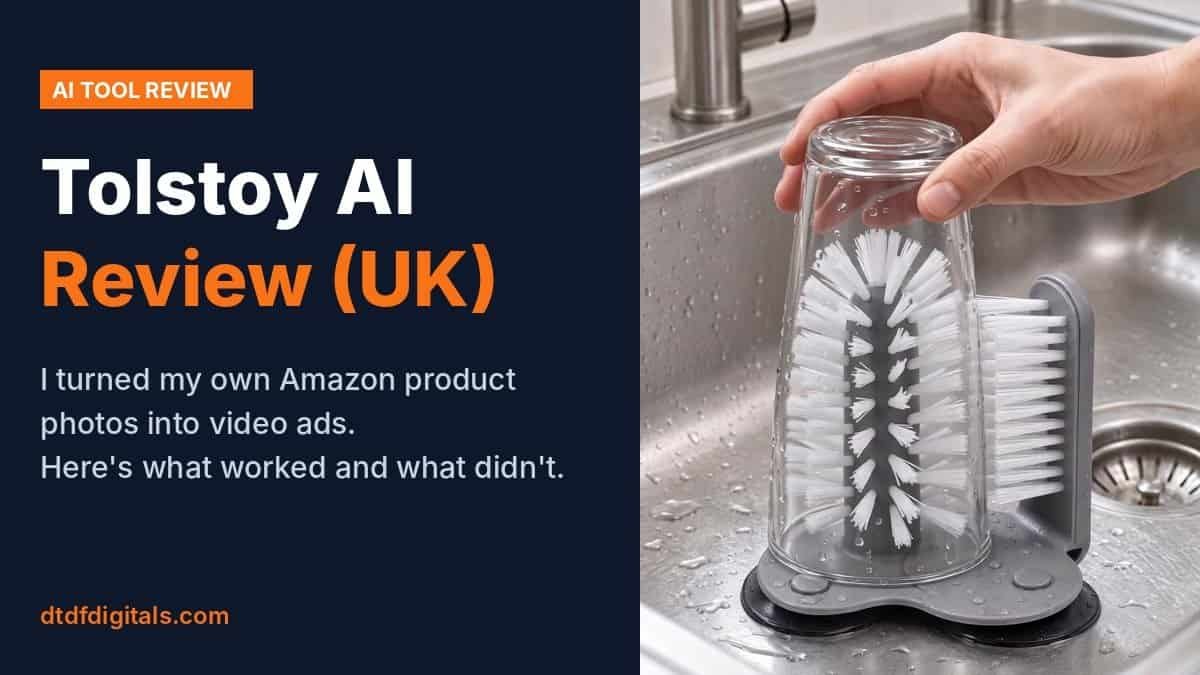
Can an AI tool turn one product photo into a video ad you’d actually post? I tested Tolstoy’s AI Studio on two of my own Amazon UK products, a glass washer and a cheese grater, to find out. This Tolstoy AI review covers what it made, where it went wrong, how many tries it took, and who it’s worth paying for.
Disclosure: Tolstoy gave me a free test account for this review, and later added 2,000 extra credits so I could finish testing. They didn’t see it before it was published, and every video described below came from my own photos and prompts.
What is Tolstoy AI?
Tolstoy does two separate jobs:
- AI Studio: you upload a product photo, describe the video you want, and it generates a short clip. This is what I tested.
- Shoppable video player: video widgets for your product pages that shoppers can buy from. It’s built mainly for Shopify. My shop runs on WooCommerce, which works through a header script rather than an app, so I haven’t tested the player here.
AI Studio works from uploaded photos, so it’s useful whatever platform you sell on: Amazon, eBay, Etsy or your own site.
How I tested for this Tolstoy AI review
I used one product photo per test and wrote my own prompts. Each clip came out at about 5 seconds and took under two minutes to generate. I judged each one on a simple question: does the product still look exactly like the real thing? If an AI video changes your product, you can’t use it to sell that product.
Test 1: slow zoom on the glass washer
Prompt: a 5-second slow zoom, keeping the bristles and base exactly as they are.
Result: the product was 100% accurate, because Tolstoy kept my original photo and added a smooth camera move over it. That’s the safe option. It’s quick and reliable, but it isn’t really “AI video”. It’s an effect you could make in Canva.
Test 2: the glass washer in use
This is the real test: a hand pushing a glass down onto the brush in a kitchen sink, a scene my original photo didn’t show.
First prompt: the scene was impressive, with a steel sink, a tap and water droplets, and the washer was recognisably mine. But the glass only went about a third of the way down, and in later frames the bristles poked through the bottom of the glass. Not usable.
Second prompt (asking for the glass to go all the way down): much better. The glass goes fully over the brush and the washer stays accurate.
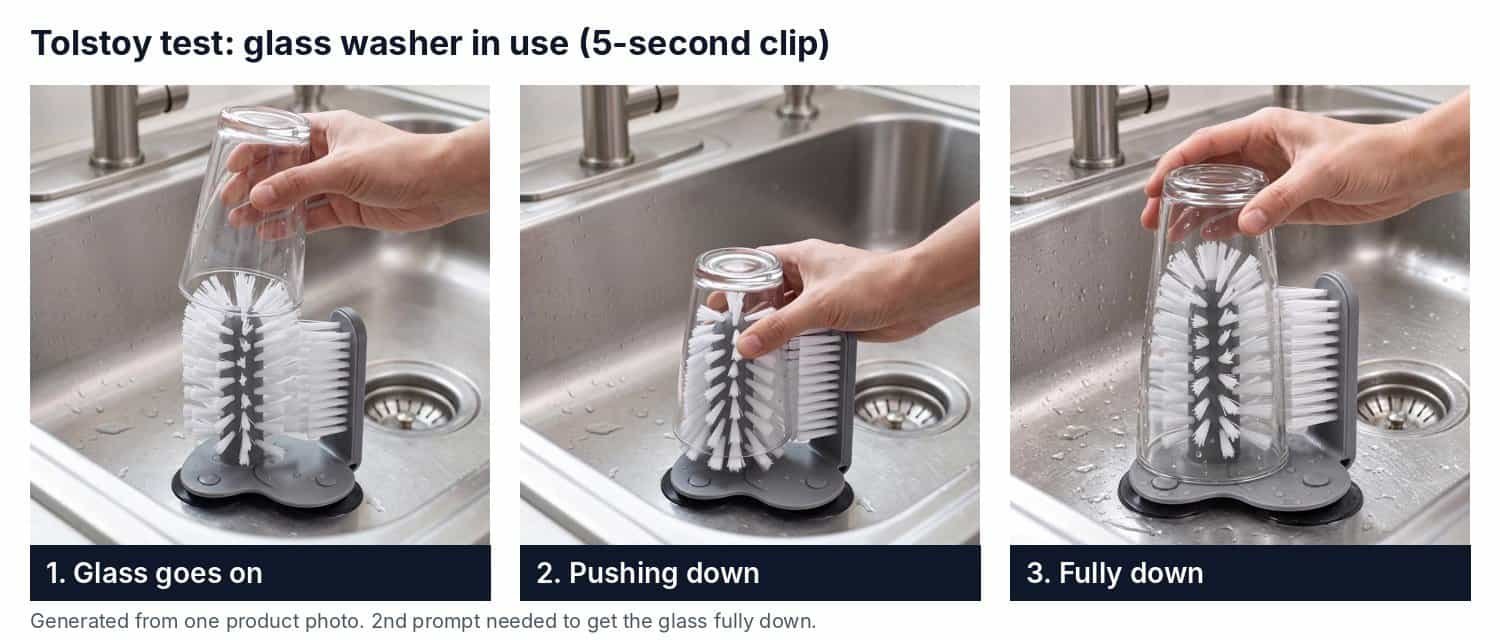
It still isn’t perfect. Look closely and the glass changes shape slightly partway through, and the camera jumps closer halfway. On a phone screen in a social feed, most people won’t notice. For an Amazon listing video, where buyers study every detail, I’d think twice.
Test 3: the cheese grater as a vertical Reel
Next I asked for a vertical (9:16) clip of a hand grating parmesan on my 6-in-1 box grater, ready for Instagram Reels and TikTok.
First prompt: it looked like a real advert, with a bright modern kitchen and a natural hand movement. But the cheese fell outside the container onto the worktop, which is the opposite of the grater’s selling point, and the container was already full when the clip started.
Second prompt: the cheese drops into the container, with just a few natural crumbs on the worktop. Most importantly, the grater matches my real product: the black handle, the hole patterns and the clear container base.
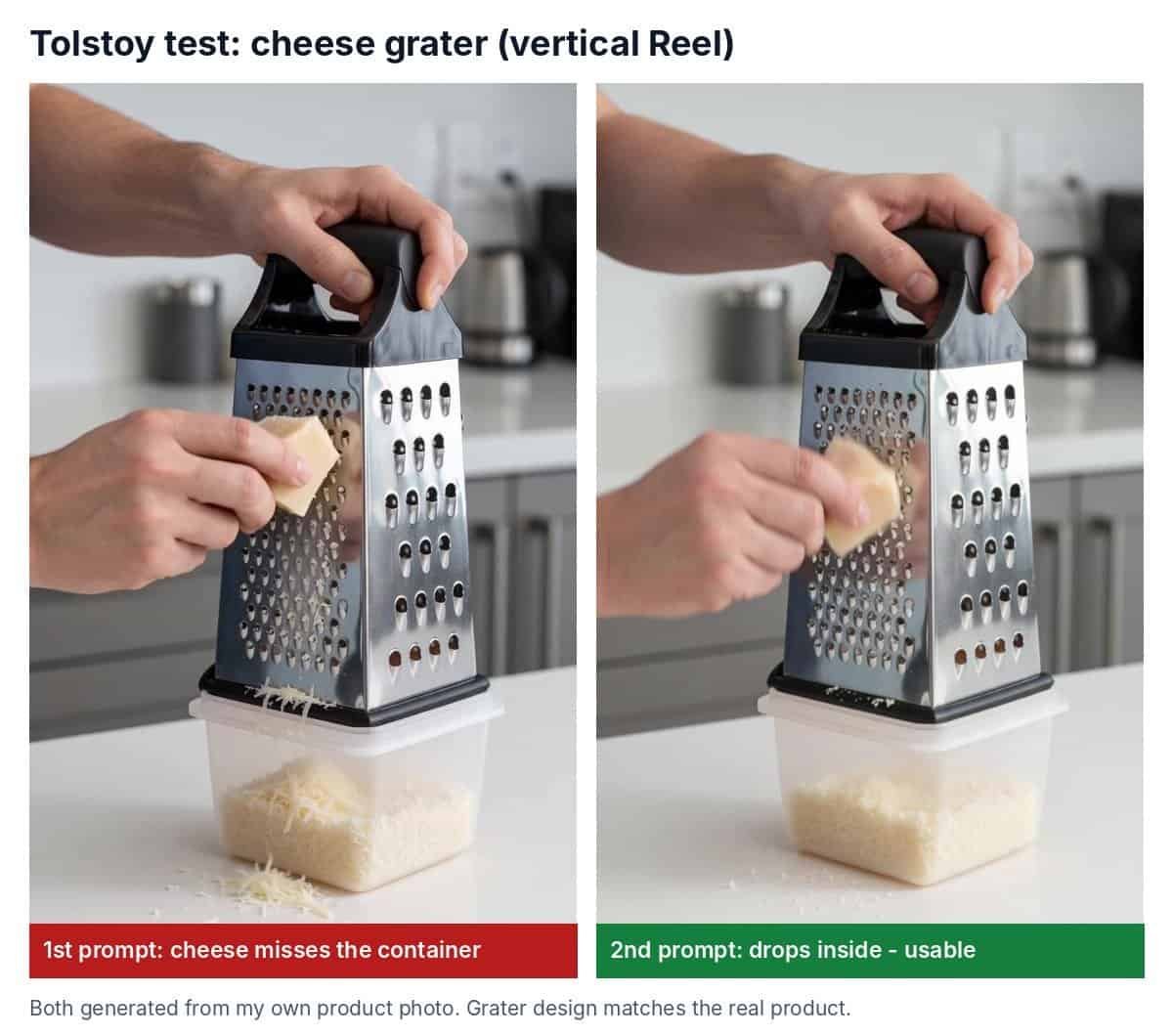
This was the best result of the test, and it’s going straight onto my social media.
Test 4: UGC-style ad for the knife sharpener
For the last test I wanted a UGC-style ad: a person using my 3-stage knife sharpener with its cut-resistant glove. I uploaded two photos, the sharpener on its own and a hand wearing the glove while holding it, and asked for a vertical clip of about 10 seconds. The gloved left hand holds the sharpener steady on a kitchen counter, the right hand pulls a knife through the slot once, with a fixed camera and no text.
Result: not usable, after three tries.
Try 1: Tolstoy’s AI agent made a draft, but the knife sawed back and forth instead of making one pull. The agent flagged this itself and asked for a reference clip.
Try 2: I filmed a short clip of one pull and uploaded it. The new take showed one full pull, but with a reposition beforehand, a glove cuff that didn’t match my photo, and the room and clothing from my reference clip instead of a kitchen.
Try 3: I asked for a clean kitchen, no repositioning and an exact glove match. The look was right: the kitchen, the glove and the sharpener all matched. But the knife moved back and forth again and clipped through the sharpener.
The products stayed accurate every time. What failed was the action: two hands, a blade and a slot, where objects have to touch correctly. It’s the same kind of physics error as the glass and the cheese, but harder, and even a reference clip didn’t fix it.
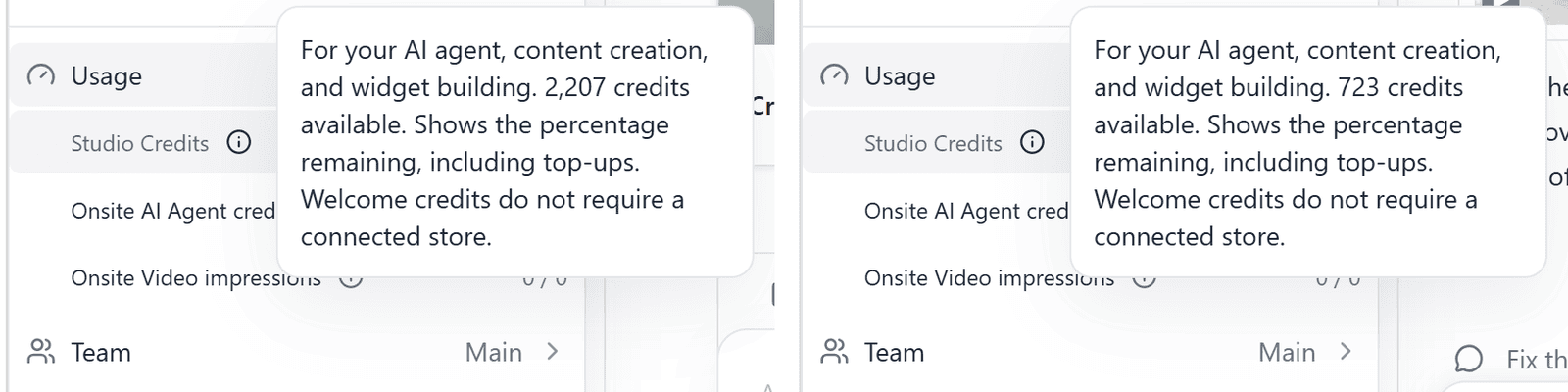
The cost: my balance went from 2,207 credits to 723, so these three tries used 1,484 credits and gave me nothing I could post. They were also slower than the earlier tests. The agent reported about 5 and 10 minutes of work on tries 2 and 3, against under two minutes for the simple clips.
What I learned: plan for 2 tries, or more
Every motion video needed a second prompt. The first try got the scene right but the physics wrong: a glass that stops halfway, cheese that misses the container. The fix was always the same: tell it exactly what the product should do, not just what it should look like. For example: “the glass goes all the way down until it touches the base” or “the cheese falls into the container below”.
The sharpener test showed where that fix stops working. When the action involves a hand, a blade and a slot, a clearer prompt and even a reference clip didn’t help in three tries.
That matters for cost, because each try uses credits. Budget for about twice as many credits as the number of videos you want, and more for complicated actions. Tolstoy’s support team also explained the credit number beside each chat title: it’s an estimate for the whole conversation, including the AI’s chat and planning work, not just video generation. It’s separate from your remaining balance.
Tolstoy AI pricing
Tolstoy’s pricing page shows a “Start for free” sign-up but doesn’t spell out what the free plan includes, so check before you rely on it. The paid plans give you a monthly allowance of Studio credits (the ones video generation uses):
- Plus: $20 a month ($16 a month billed yearly), 3,000 credits
- Business: $100, $200 or $500 a month ($80, $160 or $400 billed yearly), with 15,000, 30,000 or 75,000 credits
- Enterprise: custom pricing
Credits renew each month. One-time credit top-ups are included on Business and Enterprise, but not on Plus. Prices checked on 12 November 2026 on gotolstoy.com/pricing.
For scale: my three failed sharpener tries alone used about 1,484 credits, close to half of Plus’s 3,000 monthly credits, and Plus can’t be topped up. If you’re a small seller, start with the smallest plan and see how many usable videos you actually get from it.
Tolstoy AI review: pros and cons
Pros
- Realistic kitchen scenes from a single product photo
- Kept both my products accurate once the prompt was right
- Fast: under two minutes per clip
- Square and vertical formats, ready for social media
- Works for any marketplace, because it starts from photos
Cons
- Motion videos usually need a second try
- Small glitches: objects changing shape, sudden camera jumps
- Credits go quickly on motion videos
- Hand-and-tool actions can fail even with a reference clip (my knife sharpener test)
- The shoppable player is mainly built for Shopify
Tolstoy AI review verdict: is it worth it?
For social media content, yes, with limits. It turned my plain product photos into Reels that look like a filmed advert, which would otherwise cost me a camera, a kitchen set-up and an afternoon. Two of my three products ended with a clip I’d post: the glass washer and the cheese grater. The knife sharpener didn’t, after three tries and about 1,484 credits. For Amazon listing videos I’d still check every frame, because small glitches stand out when a buyer is studying your product.
Worth it for: simple product shots, slow zooms and scenes with one clear action. Skip it for: anything that needs precise contact between a hand, a tool and your product, unless you’d rather film that part yourself.
If you sell physical products and want more video without filming, my Tolstoy AI review verdict is that it’s worth a small test first. Start with the free sign-up and one simple clip, bring one good product photo, and be ready to describe the action exactly.
More tests on this site: my Runway AI review, whether AI video keeps product label text, and the best AI video tools for small online sellers.
Tested in November 2026 on a Tolstoy test account. AI video tools change quickly, so results and pricing may differ by the time you read this.

Dave is the founder of DTDF Digitals and the owner of DTDF Home & Kitchen, a UK kitchenware brand that has sold over 500 products on its own store and Amazon. He also runs Smart Refurbish, a listing makeover service that gives small Amazon and eBay sellers’ tired listings a second life. He tests AI video, ad and seller tools on his own real products before reviewing them, and shares what each tool produced, what it cost and where it fell short.