ListingSmith Review: I Tested It on My Amazon UK Listing
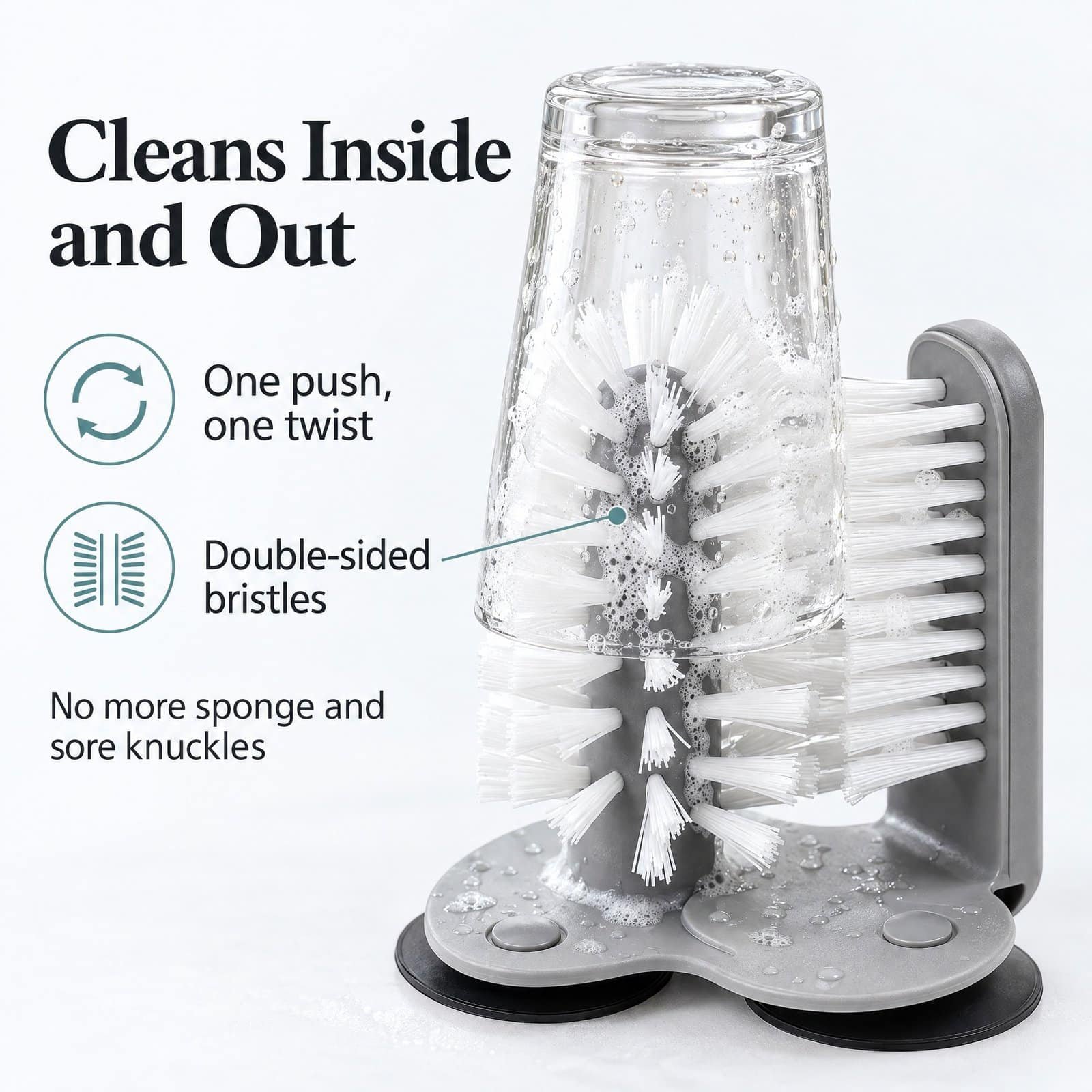
This ListingSmith review is based on a real test, not a demo. ListingSmith is an AI tool that writes Amazon listings: keywords, title, bullet points, description and back-end search terms, plus A+ Content and product images. I tested the Listing Builder on my own Amazon UK product, a glass cup washer I sell as DTDF Essentials, and pasted the result into Seller Central. Here’s exactly what it did well, what I had to fix, and what it cost in credits.
Disclosure: ListingSmith gave me free credits to test the tool, and I earn a commission if you buy through my link. I paid nothing for this ListingSmith review, and the problems below are exactly as I found them.
🧪 Try ListingSmith
One-off credit packs, no subscription, and the credits don’t expire. Test it on one listing before you commit. Use my link and you get 250 bonus credits; the price doesn’t change.
Affiliate link: I earn a commission if you buy through it.
ListingSmith review: quick verdict
- Best part: every claim it writes is checked against a “claim bank” with a source, so it’s much less likely to invent features than other AI writers I’ve tested.
- Also good: real UK keyword data, three title options with the reasoning for each, a keyword tracker that shows which keywords made it into the copy, a polished A+ page, and consistent gallery images when you give it your real photos.
- Needs checking: the description came out 411 characters over Amazon’s limit, the bullets used ALL CAPS headings (against Amazon’s rules), and the back-end search terms were full of junk.
- Cost of my test: 35 credits for a full listing (including a one-time 25-credit brand kit), plus 25 for a 6-module A+ page and 40 for 8 gallery images: 100 in total.
In short: a fast, well-designed first draft that still needs 15 minutes of human checking.
How I tested ListingSmith for this review
- Product: DTDF Essentials Glass Cup Washer with 3 suction cups (ASIN B0FBMLX2JJ), £9.99, Amazon UK.
- Competitors: three similar sink-mounted glass washers.
- Dates: 7–8 November 2026, Amazon UK marketplace.
- Comparison: I’d researched the same listing with SellerSprite two days earlier, so I could check ListingSmith’s keyword data against it. Read my SellerSprite tutorial for that test.
Step 1: The brand kit (25 credits)
Before writing anything, ListingSmith builds a brand kit. I gave it my website, my Amazon listing link, a short “about” paragraph, my logo and two product photos. About two minutes later it had my brand colours, tone of voice and a claim bank of 15 product facts.
The claim bank is the standout feature. Every claim shows where it came from, such as “Amazon listing B0FBMLX2JJ” or “website about page”. The AI can only use claims from this list, which stops it inventing features.
It wasn’t perfect:
- It picked the wrong logo from my website. I swapped it in one click.
- My cheese grater was described as having “interchangeable blades”. It doesn’t, so I edited the claim.
Check every claim before you continue, because anything in the claim bank can end up in your listing.
Step 2: Keyword research (3 credits + 2 to approve)
You enter your ASIN and up to 20 competitor ASINs, choose the marketplace, and it pulls keyword data (from a provider called Soldscope) and sorts the keywords into four tiers: title, bullets, description and back-end.
Watch out: the marketplace defaulted to Amazon US. Switch it to UK first, or you’ll pay for American data.
It found 117 keywords. The UK search volumes were close to SellerSprite’s:
| Keyword | SellerSprite (UK/month) | ListingSmith (UK/month) |
|---|---|---|
| bottle cleaner brush | 7,648 | 9,208 |
| bottle cleaning brush | 3,689 | 4,907 |
| bottle washer | 3,878 | 4,069 |
| cup cleaner | 1,976 | 1,256 |
| glass washer | 602 | 1,005 |
But the list needed cleaning. It included “glass rinser” and “glasswasher”, which are different products, and huge terms like “bottle brush” (72,943) and “glass cleaner” (29,135) that bring the wrong buyers. Many smaller keywords also showed almost identical volumes (330 to 400), which looks more like an estimate floor than real data. I deleted about 10 keywords and moved my two best ones up to the title tier.
Step 3: Title (2 credits)
This was the best step. ListingSmith uses Amazon’s newer title format (a 75-character item name plus 125 characters of highlights) and gave me three options, each with a short explanation of its strategy and a check showing which top keywords it covered.
I picked the keyword-first option and edited the highlights to add one missing keyword:
DTDF Essentials Bottle Washer and Glass Washer for Sink, Grey
One option used “glass cleaner”, which UK shoppers use for window spray, so read the options yourself rather than taking the first one.
Step 4: Bullet points (2 credits)
The bullets were genuinely good: specific (dimensions, “lipstick and tea stains”), aimed at real buyers (parents, home-bar owners), and they used all 21 bullet-tier keywords. Honestly, they were more specific than the ones I’d written myself.
Two problems:
- Every bullet started with an ALL CAPS heading. Amazon UK’s edit page says “Do NOT use all caps”, so I retyped them.
- The finished export put a space before each colon (“Cleans Inside and Out :”). A small thing, but you’ll need to fix it when you paste.
Step 5: Description (1 credit)
The description read well and was written as questions and answers, which suits Amazon’s Rufus AI assistant. But it came out at 2,411 characters, 411 over Amazon’s 2,000 limit. ListingSmith flagged this in red, but it shouldn’t have written it that long in the first place.
I deleted one paragraph and one doubtful sentence (it claimed the bristles help with “narrow-necked bottles and tall flutes”, which I can’t promise), and removed the word “hygienic”, which is a health claim. That brought it to 1,924 characters.
Step 6: Back-end search terms (free)
This was the weakest step. It filled all 250 bytes, but with:
- Spanish words (“cepillo”, “vaso”, “cocina”), which are useless on Amazon UK
- misspellings of words nobody searches for (“rinsor”, “flassk”, “kichen”)
- “rinser” again, the wrong product
I deleted it all and wrote my own: extra uses (bar, café, protein shaker), gift terms for Christmas, and misspellings of my main keywords. If you use ListingSmith, write this field yourself.
ListingSmith review results
ListingSmith gave the finished listing an SEO health score of 94 out of 100, with 100% of title and bullet keywords placed. You can copy it to your clipboard or export it as a Word or text file.
I submitted the new bullets, description and back-end terms to Seller Central on 7 November 2026. Without Brand Registry, I can’t change the title myself, so that goes through Seller Support.
Results: I’ll update this ListingSmith review with page views and sales after the first week and after a month, good or bad.
Bonus test: Seamless A+ Content (25 credits)
I also tested ListingSmith’s newest feature, Seamless A+. It designs your whole A+ page as one continuous picture, then slices it into Amazon’s Premium A+ modules.
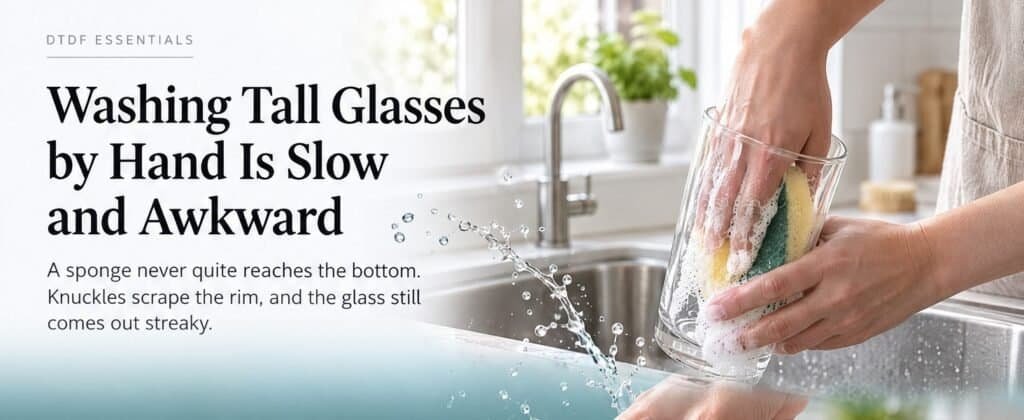
It used the product info from the Listing Builder and my brand kit. I added a short creative direction: lead with the problem, then the push-and-twist action, then “no drilling”. About 12 minutes later I had 6 full-width modules: the problem, “Push. Twist. Clean.”, “No Drilling. No Tools.”, the bristles, “One Brush for Every Drinks Vessel” and “Ready in Three Steps”.
What impressed me:
- It followed my direction closely and used my brand colours, logo and slogan.
- It kept to my product facts. It didn’t add words like “premium” or “hygienic”.
- The export is a zip with all 6 images at Amazon’s size (1464 × 600), one full-page image, and a Word guide with the text and alt text for each module.
What to know first:
- It cost 25 credits. ListingSmith offers one free A+ page to visitors who try the demo before paying. I tested on an account supplied by ListingSmith, so the free demo page didn’t apply to me.
- The product in the images is AI-drawn, not my photo. Check it matches your real product before you use it.
- Seamless A+ uses Premium A+ modules, which need Amazon Brand Registry. I’m not registered yet, so I’m using the designs on my own shop and social media for now.
- A mobile version costs 10 more credits, and spot edits start at 5 credits.
Bonus test 2: Image Studio (40 credits)
Last, I tested Image Studio, which makes your Amazon gallery images. I chose Full Listing, which plans the whole set at once, and kept my three real product photos attached as references. I asked for 7 images plus a second main-image option, so 8 in total.
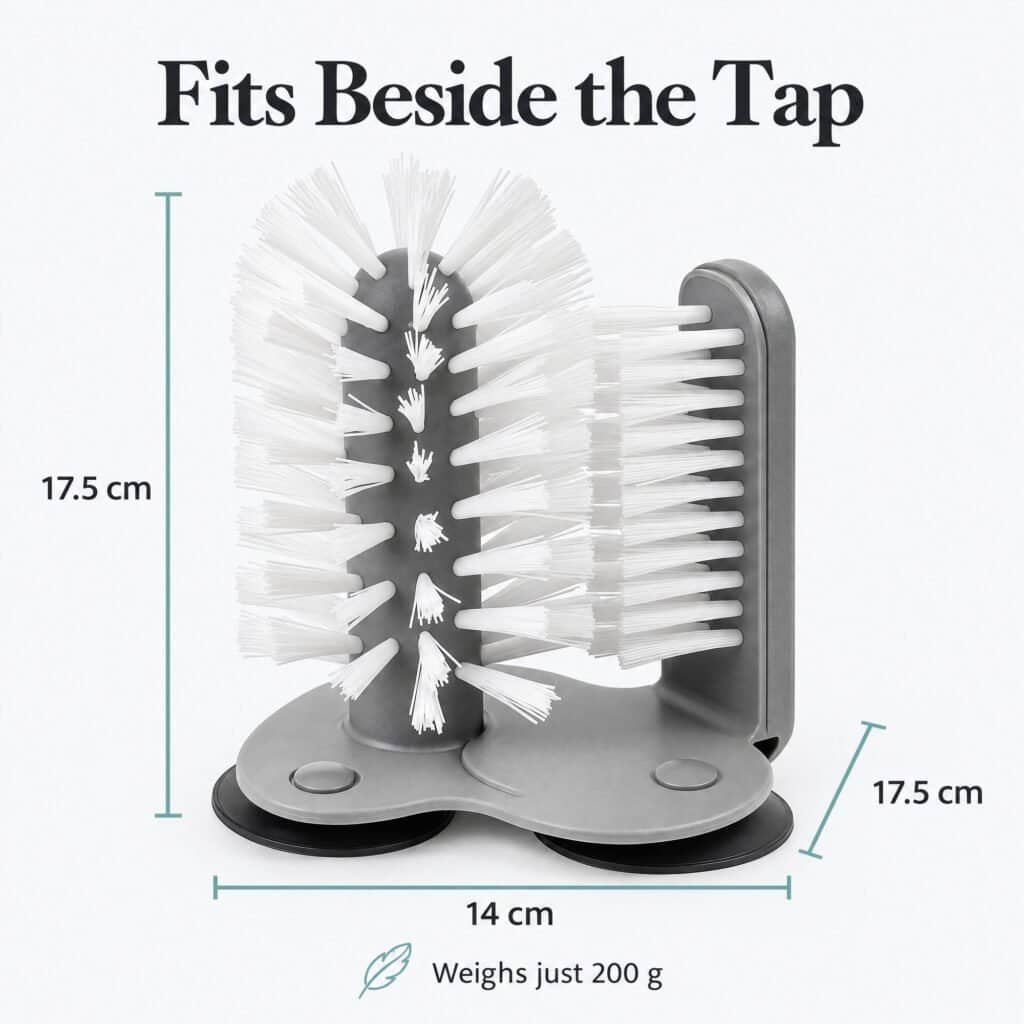
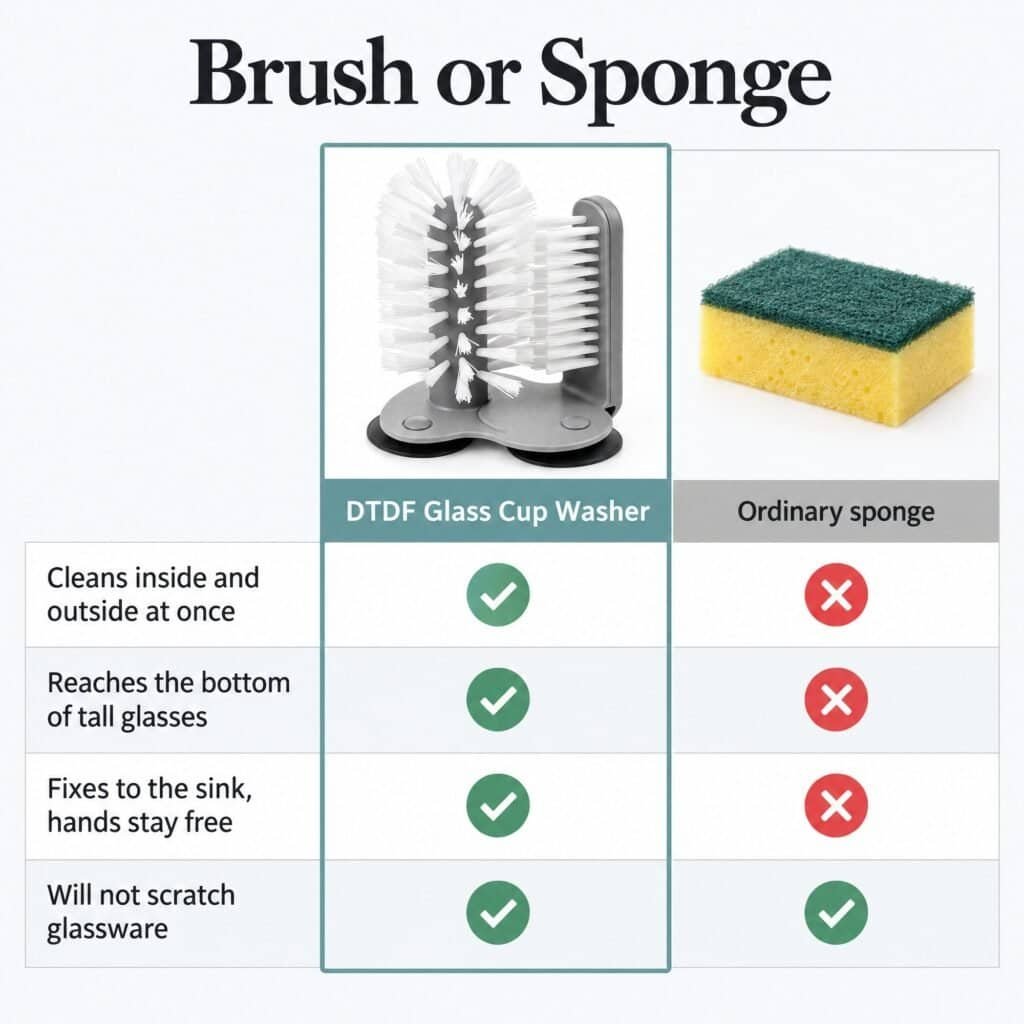
About 6 minutes later I had all 8 images at 2000 × 2000 pixels, plus a short explanation of why they’re in that order: hero, key benefit, lifestyle in a UK sink, how to use it in three steps, size, the suction base, and a brush-vs-sponge comparison.
What impressed me:
- Because I attached my real photos, the washer looks the same in every image. This is the biggest difference from the A+ test.
- The size image used my real dimensions (17.5 × 14 × 17.5 cm, 200 g), and the features image showed the three suction cups underneath.
- The comparison is against a generic sponge, not a named competitor, which keeps it within Amazon’s rules.
- Two images contain AI-generated people, and ListingSmith labels those files with Amazon’s AI disclosure tag. That’s a responsible touch.
- Gallery images don’t need Brand Registry, so unlike the A+ page, I can use these on my listing straight away.
What to know first:
- The plain hero image follows Amazon’s main-image rules (pure white, product only), but ListingSmith flagged it “check hero”. Compare it with your real product before replacing a real photo.
- The “enhanced” hero puts a glass on the brush. The glass isn’t included, so Amazon could remove it as a main image. Use the plain one.
- Check every on-image claim. One image says it grips a “smooth worktop”, so only keep that if it’s true for your product.
What my ListingSmith review test cost
| Step | Credits |
|---|---|
| Brand kit (one time per brand) | 25 |
| Keyword research + approval | 5 |
| Title | 2 |
| Bullet points | 2 |
| Description | 1 |
| Total for one listing | 35 (10 once the brand kit exists) |
| Seamless A+ page (6 modules) | 25 |
| Image Studio gallery (8 images) | 40 |
| My whole test | 100 |
Pricing is a one-off credit pack rather than a monthly subscription, and the credits don’t expire. Check ListingSmith’s site (affiliate link, I earn a commission if you buy) for current prices.
ListingSmith vs SellerSprite’s AI Listing Builder
| ListingSmith | SellerSprite | |
|---|---|---|
| Keyword research | Built in, 117 keywords, needs cleanup | Separate tools, deeper data and competitor ranks |
| Title | 3 options with reasoning | 1 option, was cut off |
| Invented claims | Rare: claim bank with sources | Added “premium resilient materials” |
| Amazon rules | ALL CAPS bullets, description over limit | Title too long for field |
| Back-end terms | Poor | Not generated |
| A+ Content | Yes, full designed pages | No |
| Gallery images | Yes, full 8-image sets | No |
| Pricing | One-off credits | Monthly subscription (includes research tools) |
If you only need listings and A+ pages written, ListingSmith is the more careful writer. If you need ongoing keyword and competitor research, SellerSprite does more, and you can use both together like I did.
ListingSmith review verdict: is it worth it for small UK sellers?
Yes, as long as you treat it as a fast first draft. It saved me most of the writing time, and the claim bank makes it safer than general AI tools. But don’t paste its output straight into Seller Central: check the marketplace is UK, clean the keyword list, fix the capitals, check the description length, and write the back-end terms yourself.
For me, Image Studio was the standout: 8 consistent, usable gallery images for 40 credits. I’ll add my ranking and sales figures here once the new listing has had time to work.
Want me to do this for your listing?
Smart Refurbish rewrites Amazon listings around real UK keywords, and I check every line by hand. Makeovers from £25, and you upload everything yourself, so I never need your login.
🧪 Try ListingSmith
One-off credit packs, no subscription, and the credits don’t expire. Test it on one listing before you commit. Use my link and you get 250 bonus credits; the price doesn’t change.
Affiliate link: I earn a commission if you buy through it.
This ListingSmith review was tested 7–8 November 2026 on Amazon UK. Credit costs and features may change, so check ListingSmith’s site before you buy.

Dave is the founder of DTDF Digitals and the owner of DTDF Home & Kitchen, a UK kitchenware brand that has sold over 500 products on its own store and Amazon. He also runs Smart Refurbish, a listing makeover service that gives small Amazon and eBay sellers’ tired listings a second life. He tests AI video, ad and seller tools on his own real products before reviewing them, and shares what each tool produced, what it cost and where it fell short.